Sketch Plugins for Sketch: 19+ Resources
EpicPxls offers 19+ curated sketch plugins for Sketch, all with a commercial license and editable source files (Figma, Sketch, PSD). We have 19+ sketch plugins compatible with Sketch, tested and verified for seamless integration.
Last updated February 12, 2026
Discover 19+ handpicked sketch plugins for Sketch.
Trusted by designers at leading companies
Top Sketch Plugins for Sketch
Handpicked resources from our curated collection
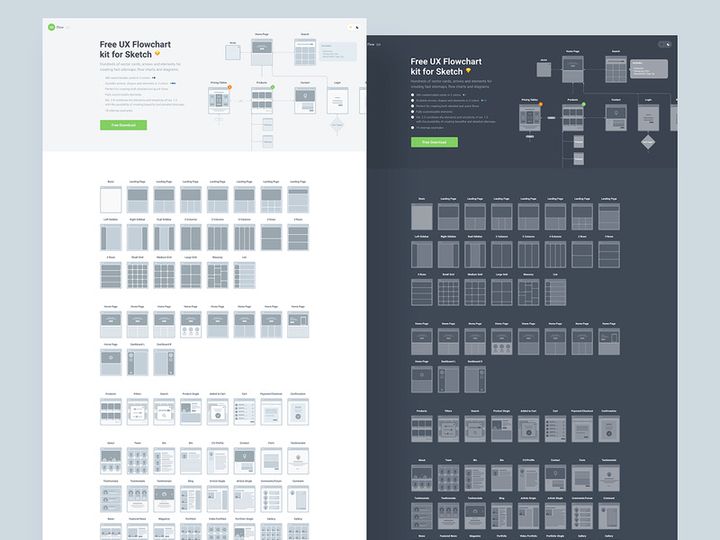

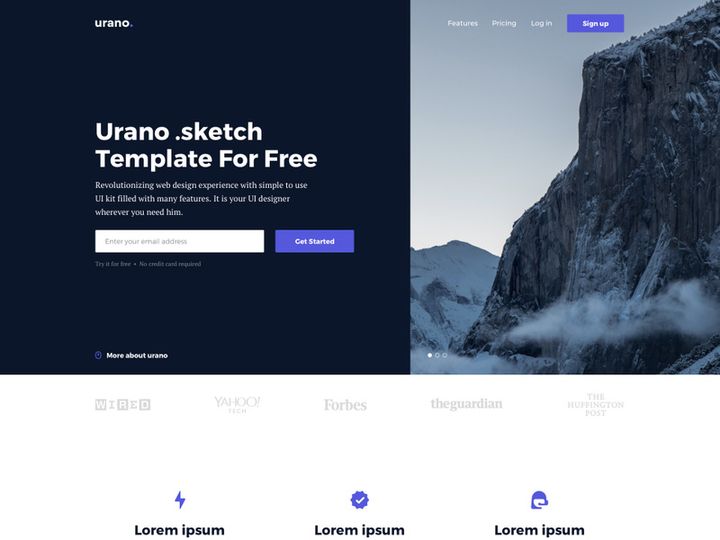
![[FREE] Neumorphic Elements Sketch File preview picture](https://imgproxy.epicpxls.com/1LP-mgM1yxuraXwlPkHmtVFqYJ7C3k3aVWL1K9MfKwQ/rs:fill:720:540:0/g:no/aHR0cHM6Ly9pdGVt/cy5lcGljcHhscy5j/b20vdXBsb2Fkcy9w/aG90by8xNzY4MzZk/MWQyYzM3MGFhYTc2/Yzc5YTA0YjBjYTVk/YQ.jpg)







Try Our Free Resources
Download any of these for free - no account required

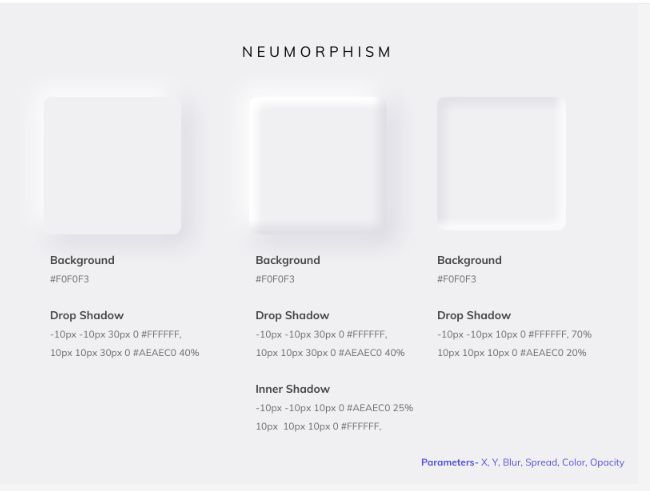
![[FREE] Neumorphic Elements Sketch File](https://items.epicpxls.com/uploads/photo/7490b9d79b6182d61dae3b938edcb366)
Why Sketch for Sketch Plugins?
Sketch has long been a favorite among UI and UX designers, and one of the key reasons for its enduring popularity is its robust plugin ecosystem. The platform was built with extensibility in mind, allowing developers and designers alike to enhance functionality through Sketch plugins for Sketch. These plugins streamline workflows, automate repetitive tasks, and bring advanced capabilities directly into the design canvas — all without leaving the application. It’s this seamless integration that makes Sketch an ideal environment for plugin-powered design.
One of the standout features of Sketch is its vector-based interface, which is lightweight and performance-optimized. This efficiency means that even when running multiple plugins, the application remains responsive and stable. Sketch also supports dynamic symbols, reusable components, and shared libraries — features that are essential for plugin compatibility and scalability in team environments. Whether you’re automating icon generation, syncing design tokens, or exporting assets at scale, Sketch provides the structural foundation that empowers plugins to deliver real value.
At EpicPxls, we understand how critical it is to have reliable, up-to-date tools. That’s why our team continuously curates and tests over 19+ resources to ensure they’re fully compatible with the latest version of Sketch. Our selection process focuses on usability, performance, and developer support, so you can trust that every plugin recommended has been vetted for real-world design workflows. From automating tedious tasks to enabling advanced prototyping features, Sketch’s plugin architecture allows designers to extend the app in ways that match their specific needs — making it one of the most customizable design platforms available today.
Top Sketch Plugins Picks for Sketch
Navigating the vast ecosystem of Sketch plugins for Sketch can be overwhelming, especially with over 19+ resources to choose from. To help you find the right tools for your workflow, we’ve categorized our top picks based on experience level and budget. Whether you're just getting started or you're a seasoned professional, there’s a plugin that fits your needs — and many of them are completely free.
Best for Beginners
- Sketch Runner – Think of it as Spotlight for Sketch. It lets you quickly access layers, pages, symbols, and plugins with just a few keystrokes, making navigation intuitive for new users.
- Layer Export – A simple yet powerful tool that allows you to export layers with custom naming and formats, perfect for learning asset management without complexity.
- Sketch Measure – Ideal for creating design specs, this plugin generates clean, developer-friendly documentation with measurements, colors, and fonts.
These beginner-friendly plugins are well-documented and widely supported, making them excellent entry points. EpicPxls highlights these tools because they reduce the learning curve while delivering immediate productivity gains.
Best for Professionals
- Symbol Instance Locator – This plugin helps you find every instance of a symbol across your document, a must-have when managing large design systems.
- Constraints Helper – Offers visual guides for resizing behavior, enabling pixel-perfect responsive design within Sketch.
- Data Populator – Automates the process of filling text and image layers with realistic placeholder content, saving hours during mockup creation.
These advanced tools are designed for high-efficiency environments where precision and speed matter. Professionals working on enterprise-level projects will appreciate how these plugins integrate deeply into complex workflows.
Best Free Options
- Auto Rename – Automatically renames layers based on a set of rules, ensuring consistency across your designs.
- Sketch Icons – Provides instant access to thousands of open-source icons that can be inserted and customized directly in Sketch.
- Trim Layers – Trims excess space around layers with a single click, ideal for cleaning up imported assets.
Even the free tier of Sketch plugins for Sketch offers exceptional value. Many of these tools are open-source and actively maintained, proving that cost doesn’t compromise quality. At EpicPxls, we believe in democratizing design tools, which is why we spotlight high-performing free plugins alongside premium options.
Sketch vs Other Tools for Sketch Plugins
While several design tools support third-party extensions, Sketch stands out for its deep integration and stability when running Sketch plugins for Sketch. Unlike platforms that treat plugins as add-ons, Sketch embeds plugin functionality directly into its core interface, allowing for smoother performance and tighter feature alignment. This architectural advantage means plugins can access native APIs to manipulate layers, symbols, and documents with precision and speed.
The Sketch ecosystem also benefits from a mature developer community. With years of plugin development experience, contributors have created tools that are not only powerful but also optimized for real-world use. The JSON-based file format (.sketch) is well-documented and accessible, enabling developers to build reliable tools that interact seamlessly with design files. This transparency fosters innovation while maintaining compatibility across versions.
Another key advantage is format consistency. Because Sketch files are self-contained and lightweight, plugins can operate efficiently without dealing with fragmented assets or external dependencies. This makes batch processing, automation, and collaboration significantly more reliable compared to other environments. When combined with the curated selection of 19+ resources available through trusted sources like EpicPxls, designers gain access to a powerful, future-proof toolkit. Whether you're generating icons, syncing design tokens, or exporting assets for development handoff, Sketch provides the ideal foundation for plugin-enhanced workflows.
Setting Up Sketch Plugins in Sketch
Integrating Sketch plugins for Sketch into your workflow is a straightforward process, especially when following a structured approach. Whether you're installing a single tool or managing a collection of over 19+ resources, proper setup ensures reliability and long-term usability. Below is a step-by-step guide to help you import, organize, and activate plugins with confidence.
- Download the Plugin – Visit a trusted source like EpicPxls to download the plugin file (usually a .sketchplugin or .zip file).
- Install the Plugin – Double-click the .sketchplugin file to automatically install it into Sketch. Alternatively, extract and place the folder in the Plugins directory located at ~/Library/Application Support/com.bohemiancoding.sketch3/Plugins.
- Launch Sketch – Open Sketch if it isn’t already running. The plugin will now be accessible from the Plugins menu.
- Verify Installation – Navigate to Plugins > [Plugin Name] to confirm it appears in the menu and runs without errors.
- Organize Your Plugins – Use naming conventions or folder structures to group plugins by function (e.g., “Export,” “Automation,” “Design Systems”) for easier management.
- Update Regularly – Keep your plugins up to date by re-downloading from EpicPxls or checking the developer’s site for updates, especially after Sketch releases a new version.
For teams managing a growing toolkit, consider creating a shared plugin repository or documentation guide. This ensures consistency across team members and reduces setup time for new hires. Additionally, disabling unused plugins can improve Sketch’s performance and reduce menu clutter. With proper setup, even a collection of 19+ resources can remain organized, efficient, and ready to enhance your daily workflow.
Sketch Workflow Tips
Maximizing the value of Sketch plugins for Sketch goes beyond installation — it’s about integrating them into a cohesive, efficient workflow. As your plugin collection grows, especially when leveraging a diverse set of 19+ resources, adopting best practices ensures consistency, scalability, and collaboration readiness. Below are key strategies to help you get the most out of your plugin-enhanced design process.
Organizing Sketch Plugins Libraries
Treat your plugin library like any other design system: keep it clean, documented, and modular. Group plugins by function — such as asset export, text manipulation, or symbol management — so team members can quickly find what they need. Use descriptive names and maintain a changelog when updating plugins. If you're using shared cloud storage, sync your Plugins folder across devices to maintain uniformity. At EpicPxls, we recommend auditing your plugin library quarterly to remove outdated or redundant tools and ensure compatibility with the latest Sketch version.
Batch Operations
One of the greatest strengths of Sketch plugins for Sketch is their ability to perform batch actions across multiple layers, pages, or documents. Use plugins like Batch Style Exporter or Symbol Organizer to apply global changes efficiently. For example, you can rename hundreds of symbols using naming rules, update color styles across artboards, or export all icons in multiple sizes simultaneously. Always test batch operations on a document copy first to prevent unintended changes. When combined with keyboard shortcuts, these tools can reduce hours of work into minutes.
Collaboration Best Practices
When working in teams, consistency is key. Ensure all team members use the same version of each plugin to avoid discrepancies in output. Share a standardized plugin list — perhaps one curated from EpicPxls — and document how each tool should be used. Use version control for design files and include a README file listing active plugins and setup instructions. Encourage team-wide training sessions to onboard new members and highlight time-saving features. By aligning your team around a shared plugin strategy, you enhance collaboration, reduce errors, and streamline the entire design-to-development pipeline.
Why Download from EpicPxls?
Commercial License
Use in personal and commercial projects
No Account Required
Download free resources instantly
Quality Curated
Every resource is reviewed for quality
Preview Files
See Figma and Photoshop files before downloading
Who Uses These Sketch Plugins?
Professionals and teams who benefit most from our collection
UI/UX Designers
Speed up your workflow with ready-to-use sketch plugins for Sketch. Perfect for prototyping and client presentations.
Developers
Get production-ready assets without design skills. Export in any format for web and mobile apps.
Startups & Agencies
Save design budget with affordable premium sketch plugins. Commercial license included for client work.
Marketing Teams
Create professional campaigns faster. All sketch plugins are optimized for social media and ads.
Sketch Plugins for Sketch FAQCommon questions about these resources
Simple, Transparent Pricing
Get unlimited access to all premium resources
Yearly
- 20 downloads per month
- All file formats
- Commercial license
Lifetime
- Unlimited downloads forever
- All file formats
- Commercial license
Ready to Get Started?
Access 4,441+ free design resources today.
Browse Free ResourcesView Premium PlansEarn 85% and
more on all sales
Upload your products and put them up
for sale at whatever price you want.


