What Is a Social Media Template? Complete Guide for Designers
EpicPxls offers 200+ curated templates, all with a commercial license and editable source files (Figma, Sketch, PSD). A social media template is a pre-made design resource that helps designers work faster. Browse 200+ social media templates on EpicPxls for your projects.
Last updated February 12, 2026
Everything you need to know about social media templates — definition, types, and how to use them.
Trusted by designers at leading companies
Top Templates
Handpicked resources from our curated collection
![Food Social Media Post Template [PSD] preview picture](https://imgproxy.epicpxls.com/fgSDQO0qfI2fLnnnbe7bRDJBz_4TanIQE-0LpGFO24o/rs:fill:720:540:0/g:no/aHR0cHM6Ly9pdGVt/cy5lcGljcHhscy5j/b20vdXBsb2Fkcy9w/aG90by81ODgzNzBh/MzU4MmY3ZjM3NDYz/MTVmN2YzMjE5Mzg5/Zg.jpg)




![Social Leads App [Sketch] preview picture](https://imgproxy.epicpxls.com/IeJALwGIa8LjS8KPnQDu1jEpecDXxUy9Ci4mmTjAs7o/rs:fill:720:540:0/g:no/aHR0cHM6Ly9pdGVt/cy5lcGljcHhscy5j/b20vdXBsb2Fkcy9w/aG90by8zOWU4MTdj/ZmVlODlmN2Q1OGRl/MTE1Mjc1NjU2MWJh/MC5wbmc.jpg)


Try Our Free Resources
Download any of these for free - no account required
![Food Social Media Post Template [PSD]](https://items.epicpxls.com/uploads/photo/ea43ea60679677f660c5ce9ce3ea9d87)
What Is a Social Media Template?
A social media template is a pre-designed layout or framework used by designers and content creators to streamline the creation of visually consistent and platform-optimized graphics for social media platforms. These templates typically include placeholders for text, images, icons, and branding elements, allowing users to quickly customize content without starting from scratch. Designed with specific dimensions, typography, and visual styles in mind, social media templates ensure that posts meet the technical and aesthetic requirements of platforms like Instagram, Facebook, Twitter (X), LinkedIn, TikTok, and Pinterest.
The concept of social media templates emerged alongside the rapid growth of digital marketing and content creation in the early 2010s. As brands and individuals began posting more frequently across multiple platforms, the need for efficient design workflows became evident. Early social media graphics were often manually crafted, leading to inconsistencies and time-consuming revisions. Designers responded by creating reusable layouts—templates—that could maintain brand identity while accelerating production. Over time, these evolved into highly specialized tools, incorporating brand guidelines, animation capabilities, and responsive design features tailored to each platform's unique specifications.
Social media templates now play a critical role in modern design workflows. For professional designers and marketing teams, they reduce redundancy, enhance collaboration, and support scalable content strategies. Whether used for promotional campaigns, event announcements, quote graphics, or story highlights, templates ensure visual coherence across channels. They also empower non-designers—such as small business owners or social media managers—to produce high-quality content with minimal effort. With tools like Canva, Adobe Creative Cloud, and Figma supporting template integration, the barrier to creating professional-grade social media visuals has significantly lowered.
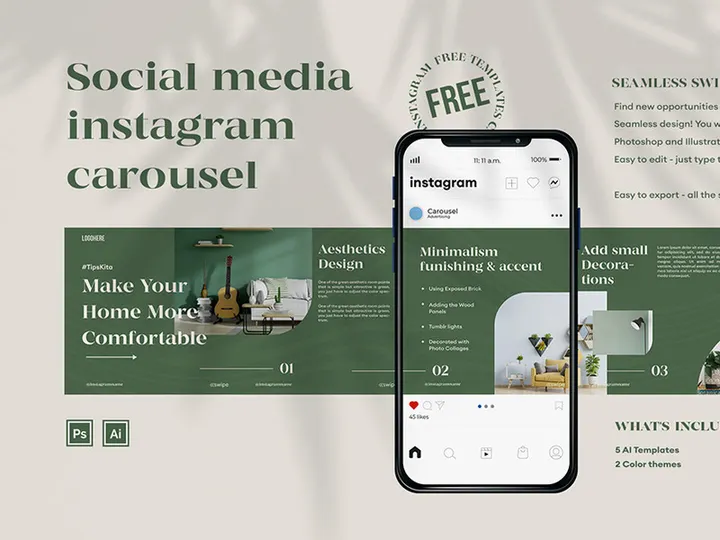
Platforms like EpicPxls have further advanced accessibility by curating vast libraries of customizable social media templates. With over 19507+ resources available, designers can find ready-to-use solutions for nearly any project, from minimalist Instagram carousels to animated TikTok intros. These templates not only save time but also reflect current design trends, ensuring content remains visually engaging and platform-appropriate. In a landscape where attention spans are short and competition for visibility is fierce, leveraging well-crafted social media templates is no longer optional—it’s a design imperative.
Types of Social Media Templates
By Purpose
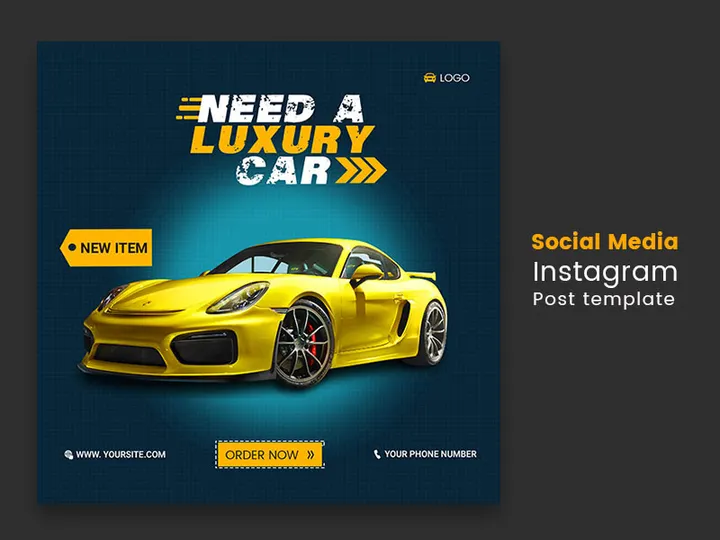
Social media templates are developed with specific objectives in mind, making them highly functional across diverse use cases. Promotional templates are designed for product launches, sales, or limited-time offers, often featuring bold typography and call-to-action elements. Event templates help announce webinars, live streams, or in-person gatherings, typically including date, time, and location details. Educational templates are used for sharing tips, tutorials, or industry insights, commonly structured as infographics or step-by-step visuals. Engagement templates, such as “fill-in-the-blank” stories or poll graphics, encourage audience interaction. Meanwhile, brand awareness templates focus on storytelling, values, or behind-the-scenes content to strengthen audience connection. Each type supports a unique aspect of a brand’s social strategy, enabling designers to align visuals with communication goals.
By Format
The format of a social media template determines how it’s delivered and used. Graphic templates are static image files (e.g., PNG, JPG) ideal for posts, banners, and profile visuals. Editable file templates come in formats like PSD (Photoshop), AI (Illustrator), FIG (Figma), or XD (Adobe XD), allowing full customization of layers, colors, and fonts. Video templates are typically provided as After Effects (AEP) or Premiere Pro (PRPROJ) files, enabling motion graphics for reels, stories, and ads. Web-based templates are built for platforms like Canva or Crello, offering drag-and-drop editing through a browser interface. Some templates are even available as HTML or CSS snippets for embedding social content directly into websites. The choice of format depends on the designer’s tools, technical skill, and intended use case.
By Complexity
Social media templates vary in complexity to suit different skill levels and project demands. Simple templates feature minimal elements—such as a background, headline, and image placeholder—making them ideal for quick edits or beginners. These are often used for daily posts or time-sensitive updates. Intermediate templates include layered designs, grid layouts, and multiple text zones, offering more creative control while remaining user-friendly. They are commonly used for content series or branded campaigns. Comprehensive templates are full design systems that include color palettes, font pairings, icon sets, and even animation presets. These are typically part of larger brand kits and are used by agencies or in-house design teams managing multi-platform strategies. Whether simple or complex, the best templates strike a balance between flexibility and structure, ensuring ease of use without sacrificing design integrity.
How to Use Social Media Templates in Your Projects
- Define your content goal: Before selecting a template, clarify the purpose of your post—whether it’s to promote a product, educate your audience, or boost engagement. This helps narrow down template types that align with your message.
- Choose the right platform-specific template: Each social network has unique dimensions and user behavior. Pick a template optimized for the platform—e.g., square 1080x1080 for Instagram posts, vertical 1080x1920 for Stories, or horizontal 1280x720 for YouTube thumbnails.
- Select a compatible file format: Ensure the template works with your preferred design software. For example, use PSD files for Adobe Photoshop, FIG files for Figma, or Canva-compatible links for browser-based editing.
- Customize with your brand elements: Replace placeholder text, images, and colors with your brand’s voice, visuals, and identity. Adjust fonts and spacing to maintain readability and aesthetic harmony across posts.
- Review for responsiveness and clarity: Test how the design appears on mobile and desktop. Ensure text is legible, key messages stand out, and branding is consistent. Avoid overcrowding or low-contrast combinations.
- Export and schedule your content: Save the final design in the appropriate format (e.g., JPG for static posts, MP4 for videos). Use scheduling tools like Buffer, Hootsuite, or Later to maintain a consistent posting rhythm.
Best practices include maintaining a template library for recurring content types, using version control for team collaboration, and updating templates quarterly to reflect evolving brand or platform trends. Tools like Figma, Adobe Express, and Canva offer built-in template management systems that support real-time collaboration and cloud storage. Designers on EpicPxls can also leverage smart filters to find templates by platform, color scheme, or theme—streamlining the selection process across the 19507+ resources available. By integrating templates into a structured workflow, designers enhance efficiency, consistency, and creative impact.
Social Media Template vs Related Concepts
While often used interchangeably, social media templates differ from related design concepts in scope and application. A social media theme refers to a broader visual identity—such as a seasonal color palette or aesthetic style—that can span multiple templates. Themes guide the mood and tone, while templates provide the structural blueprint. Similarly, a design system encompasses not just templates, but also typography rules, icon libraries, component libraries, and usage guidelines. Templates are components within a larger system, not the system itself.
Another related term is social media kit, which is a bundled collection of templates, brand assets, and instructional guides. A kit may include 10–20 templates tailored for different post types, making it ideal for clients or teams needing a comprehensive solution. Templates are also distinct from stock graphics, which are standalone visuals without editable layers or layout structure. While stock images can be inserted into templates, they don’t offer the same level of customization or consistency.
Knowing when to use a template versus an alternative is key. Use a template when you need speed, consistency, and scalability—such as for weekly content calendars or campaign rollouts. Opt for a custom design when launching a major brand initiative that demands originality and uniqueness. However, even custom projects can benefit from starting with a template as a foundational layout. On platforms like EpicPxls, designers often combine premium templates with custom elements to achieve both efficiency and creativity. Ultimately, templates don’t replace design skill—they amplify it by handling repetitive tasks, freeing designers to focus on innovation and strategy.
Where to Find Quality Social Media Templates
Finding high-quality social media templates begins with knowing what to look for. Professional templates should be platform-accurate, with correct dimensions, safe zones, and resolution settings. They must be well-organized, featuring layered files with clearly labeled groups and non-destructive editing options. Design quality matters too—look for modern aesthetics, balanced composition, and typography that supports readability. Additional value comes from bonus assets like matching icons, mockups, or color swatches that enhance usability.
EpicPxls stands out by curating only professional-grade templates that meet these standards. Each of the 19507+ resources is reviewed for technical accuracy, design excellence, and relevance to current trends. The platform categorizes templates by use case, industry, and style, making it easy to find options that match your brand’s voice. Whether you’re designing for fashion, tech, wellness, or education, EpicPxls offers targeted solutions that reduce search time and boost output quality.
When choosing between free and premium templates, consider long-term value. Free options are great for testing ideas or personal projects but often lack customization depth, support, or licensing clarity. Premium templates, while requiring investment, typically offer higher resolution, multi-format support, and commercial usage rights. They’re especially valuable for agencies, freelancers, and brands producing large volumes of content. On EpicPxls, premium templates come with clear licensing terms—allowing use across client projects, social campaigns, and digital ads without legal concerns. With thousands of vetted, ready-to-use designs, designers can focus less on layout mechanics and more on creative expression—proving that the right template is not just a tool, but a strategic asset.
Why Download from EpicPxls?
Commercial License
Use in personal and commercial projects
No Account Required
Download free resources instantly
Quality Curated
Every resource is reviewed for quality
Preview Files
See Figma and Photoshop files before downloading
Who Uses These Templates?
Professionals and teams who benefit most from our collection
UI/UX Designers
Speed up your workflow with ready-to-use templates for design tools. Perfect for prototyping and client presentations.
Developers
Get production-ready assets without design skills. Export in any format for web and mobile apps.
Startups & Agencies
Save design budget with affordable premium templates. Commercial license included for client work.
Marketing Teams
Create professional campaigns faster. All templates are optimized for social media and ads.
Templates FAQCommon questions about these resources
Simple, Transparent Pricing
Get unlimited access to all premium resources
Yearly
- 20 downloads per month
- All file formats
- Commercial license
Lifetime
- Unlimited downloads forever
- All file formats
- Commercial license
Ready to Get Started?
Access 4,442+ free design resources today.
Browse Free ResourcesView Premium PlansEarn 85% and
more on all sales
Upload your products and put them up
for sale at whatever price you want.


