Fonts: 4589+ Design Resources
EpicPxls offers 200+ curated fonts, all with a commercial license and editable source files (Figma, Sketch, PSD). We have 200+ fonts available, with new additions added regularly by our community of designers.
Last updated February 12, 2026
Discover 4589+ handpicked fonts from top designers.
Trusted by designers at leading companies
Top Fonts
Handpicked resources from our curated collection
![Cybergoth [Free Typeface] preview picture](https://imgproxy.epicpxls.com/6bN61lGz4J3DfLn7Z1RHEoZxRca7Fd7U1pCFlcBllY0/rs:fill:720:540:0/g:no/aHR0cHM6Ly9pdGVt/cy5lcGljcHhscy5j/b20vdXBsb2Fkcy9w/aG90by85MjFmMDZl/YTU2MjlmNzM5YmMz/ZWEyZWUyMjE1NWFl/NA.jpg)







Try Our Free Resources
Download any of these for free - no account required
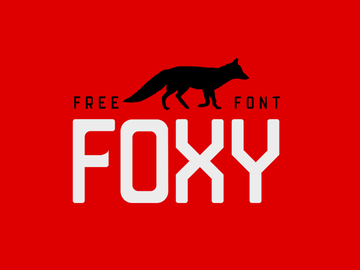
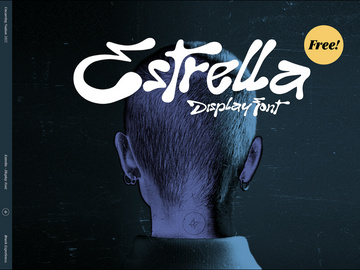
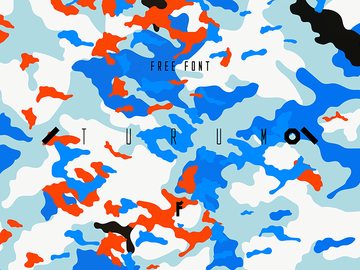
Browse Fonts
At EpicPxls, our Fonts category offers access to a vast and diverse collection of over 4589+ design resources, meticulously curated for creatives across all experience levels. Whether you're a professional graphic designer, a branding specialist, or a hobbyist working on a personal project, our font library provides the tools you need to elevate your typographic expression. From sleek modern sans-serifs to ornate script styles, each font is hand-selected to ensure quality, usability, and design relevance. Our collection spans a wide range of aesthetics, making it easy to find the perfect match for logos, web design, social media content, print media, and more.
All fonts available on EpicPxls are created by a global network of independent designers and typography experts who adhere to strict quality standards. Each submission undergoes a thorough review process to verify resolution, file integrity, licensing compliance, and visual appeal. This ensures that every downloadable font performs flawlessly across platforms and applications. We prioritize clean vector-based formats, proper kerning, and extensive character sets—including multilingual support—so your designs remain professional and accessible.
The curation of our 4589+ font resources is guided by both user demand and emerging design trends. We regularly update the library with new additions based on seasonal themes, industry shifts, and community feedback. Categories are clearly labeled and searchable, allowing for quick filtering by style, format, license, and use case. With intuitive navigation and real-time previews, EpicPxls makes discovering the ideal font both efficient and inspiring. Whether you're searching for bold display fonts or minimalist body text styles, our directory ensures you’ll find exactly what you need—fast.
What's Trending in Fonts
Popular Styles in 2026
Typography in 2026 continues to embrace a fusion of retro inspiration and futuristic minimalism. Designers are gravitating toward fonts that balance personality with functionality. Neo-brutalist typefaces—characterized by bold weights, uneven baselines, and raw textures—are gaining traction in digital branding and editorial design. Meanwhile, soft grotesques, a subcategory of sans-serif fonts with slightly rounded edges and open counters, are being widely adopted for UI/UX and mobile applications due to their high readability and approachable feel. Hand-drawn and variable fonts also remain at the forefront, allowing for dynamic adaptability across responsive layouts and animated interfaces.
Another notable shift is the increasing popularity of bilingual and multicultural fonts that support extended Latin, Cyrillic, and even CJK character sets. This reflects a growing emphasis on inclusivity and global reach in digital design. At EpicPxls, we ensure our trending fonts align with these evolving aesthetics, offering designers the ability to stay current while maintaining brand authenticity.
Most Downloaded Categories
Based on user activity and download analytics, certain font categories consistently rank at the top. Modern Script fonts continue to dominate, especially for wedding invitations, luxury branding, and social media content. Minimalist Sans-Serif typefaces are a close second, favored for their clean lines and versatility in both print and digital media. Display and Decorative fonts are also highly sought after, particularly during seasonal campaigns—think bold, festive lettering for holiday promotions or playful fonts for children’s brands.
Retro-inspired fonts, including 80s synthwave and vintage typewriter styles, remain popular in niche markets such as music branding and indie game development. These categories represent a significant portion of the 4589+ resources available, reflecting both timeless appeal and contemporary demand.
Emerging Themes
Looking ahead, several new directions are shaping the future of font design. Animated and kinetic typography assets are beginning to appear in downloadable packs, especially those compatible with Figma and After Effects. These fonts come with built-in motion presets, enabling designers to create engaging content without extensive animation skills. Another emerging trend is eco-conscious typography—fonts designed with sustainability in mind, featuring lower ink usage or optimized for energy-efficient screens.
Inclusivity is also driving innovation, with more designers creating fonts tailored for dyslexia-friendly reading or low-vision accessibility. At EpicPxls, we’re committed to spotlighting these forward-thinking themes by featuring accessible, adaptive, and experimental typefaces that empower designers to push creative boundaries while serving diverse audiences.
How to Download Fonts
- Browse the Fonts Category: Start by navigating to the Fonts section on EpicPxls. Use filters to narrow down results by style, format, license, or popularity to find the perfect match for your project.
- Preview Before Downloading: Each font listing includes a live preview tool. Enter your custom text to see how the font renders with your specific content, ensuring it meets your design needs.
- Check License and Format: Review the file format (e.g., .OTF, .TTF, .SVG) and licensing details to confirm compatibility with your software and intended use—personal or commercial.
- Choose Free or Premium: Many fonts are available for free download, while premium options offer extended features like full character sets, multilingual support, or commercial rights. Premium downloads may require a one-time purchase or membership access.
- Download and Install: Once selected, click the download button to receive a compressed ZIP file. Extract the font files and install them on your system via Font Book (Mac) or Fonts settings (Windows), or import directly into design software like Adobe Illustrator or Figma.
Whether you're downloading a single elegant script or a complete font family bundle, EpicPxls ensures a seamless experience. Our platform supports fast, secure downloads with clear instructions, so you can start using your new fonts immediately. With over 4589+ resources to explore, the variety and ease of access make EpicPxls a go-to destination for typographic excellence.
Fonts Category Breakdown
By File Format
Understanding font file formats is essential for ensuring compatibility and optimal performance in your design workflow. The most common formats available across the 4589+ resources on EpicPxls include OTF (OpenType) and TTF (TrueType), both of which support advanced typographic features like ligatures, alternate characters, and kerning. OTF is often preferred for professional design due to its superior scalability and cross-platform support.
For digital and web-based projects, WOFF and WOFF2 formats are optimized for faster loading and browser compatibility. Designers working in UI/UX environments will appreciate Figma-compatible font files, which integrate seamlessly into collaborative design systems. SVG fonts are ideal for web icons and logos requiring vibrant colors and transparency, while PNG versions (typically used for preview or mockup purposes) offer high-resolution raster representations of stylized text.
Other formats like PSD (Photoshop), AI (Illustrator), and Sketch files often include editable text layers, layer styles, and effects, making them perfect for logo templates or branded typography kits. These multi-layered files allow for deep customization and are especially useful for rapid prototyping.
By License Type
Licensing determines how you can legally use a font, and EpicPxls clearly labels each resource to avoid confusion. Personal use licenses permit font usage in non-commercial projects such as personal invitations, school assignments, or hobby-related content. These are often free to download and ideal for learning and experimentation.
Commercial licenses, on the other hand, allow the font to be used in projects intended for profit—such as branding, advertising, product packaging, or client work. Many premium fonts on EpicPxls come with commercial rights included, ensuring peace of mind for professionals. Some licenses may specify usage limits (e.g., number of impressions or products), so it’s important to review the terms before deployment. All licensed fonts on EpicPxls are vetted to ensure legal compliance, protecting both creators and users.
By Complexity
Fonts on EpicPxls range from simple standalone files to comprehensive design kits. Basic downloads typically include standard OTF/TTF files with a single weight and style—perfect for quick integration into existing projects. These are ideal for designers who already have a clear vision and just need the right typeface.
More complex offerings include font families with multiple weights (light, regular, bold, black), italics, and extended glyph sets. Some premium resources go even further, delivering full typographic systems that include matching icons, ligatures, swashes, and even ready-to-use templates in Figma or Adobe formats. These kits are excellent for branding projects where consistency and customization are key. Whether you're looking for a minimalist option or a richly detailed suite, the 4589+ resources on EpicPxls cater to every level of design complexity.
Making the Most of Fonts
Organizing Your Library
With access to thousands of fonts, maintaining an organized library is crucial. Use font management tools like Adobe Fonts, Suitcase Fusion, or built-in OS utilities to group fonts by category, project, or style. Create collections such as “Brand Fonts,” “Scripts,” or “Display” to streamline selection. Regularly deactivate or archive fonts you're not using to improve system performance and reduce clutter in design applications.
Customization Tips
Many fonts, especially those in vector formats, can be customized for unique results. Try adjusting letter spacing (tracking and kerning) for improved readability or dramatic effect. Use design software to apply gradients, shadows, or 3D effects—particularly effective with bold display fonts. For script fonts, consider editing individual glyphs to create custom ligatures or stylistic alternates. Always ensure modifications comply with the font’s license, especially when redistributing or selling derivative works.
Common Mistakes to Avoid
- Overusing trendy fonts: While stylish, overly decorative fonts can become dated quickly and reduce readability. Reserve them for headlines and use neutral fonts for body text.
- Ignoring licensing terms: Using a personal-use font in a commercial project can lead to legal issues. Always verify the license before deployment.
- Poor hierarchy and contrast: Combining fonts that are too similar can make layouts confusing. Aim for clear visual distinction between headline, subhead, and body fonts.
- System font fallback neglect: In web design, failing to specify fallback fonts can result in broken layouts if the custom font fails to load.
- Overloading with too many fonts: Using more than 2–3 typefaces in a single project can create visual chaos. Stick to a cohesive typographic system.
By following these best practices, you can maximize the value of the fonts you download from EpicPxls. With thoughtful organization, creative customization, and awareness of common pitfalls, your typographic choices will not only look professional but also enhance the overall impact of your designs. Explore the full collection today and discover how the 4589+ resources can transform your creative workflow.
Why Download from EpicPxls?
Commercial License
Use in personal and commercial projects
No Account Required
Download free resources instantly
Quality Curated
Every resource is reviewed for quality
Preview Files
See Figma and Photoshop files before downloading
Who Uses These Fonts?
Professionals and teams who benefit most from our collection
UI/UX Designers
Speed up your workflow with ready-to-use fonts for design tools. Perfect for prototyping and client presentations.
Developers
Get production-ready assets without design skills. Export in any format for web and mobile apps.
Startups & Agencies
Save design budget with affordable premium fonts. Commercial license included for client work.
Marketing Teams
Create professional campaigns faster. All fonts are optimized for social media and ads.
Fonts FAQCommon questions about these resources
Simple, Transparent Pricing
Get unlimited access to all premium resources
Yearly
- 20 downloads per month
- All file formats
- Commercial license
Lifetime
- Unlimited downloads forever
- All file formats
- Commercial license
Ready to Get Started?
Access 4,442+ free design resources today.
Browse Free ResourcesView Premium PlansEarn 85% and
more on all sales
Upload your products and put them up
for sale at whatever price you want.


