Templates for Businesss: 2691+ Resources
EpicPxls offers 200+ curated templates, all with a commercial license and editable source files (Figma, Sketch, PSD). Purpose-built templates for business projects save time and ensure professional results with design elements tailored to business requirements.
Last updated February 12, 2026
Discover 2691+ templates ideal for business design projects.
Trusted by designers at leading companies
Top Templates
Handpicked resources from our curated collection
![Food Social Media Post Template [PSD] preview picture](https://imgproxy.epicpxls.com/fgSDQO0qfI2fLnnnbe7bRDJBz_4TanIQE-0LpGFO24o/rs:fill:720:540:0/g:no/aHR0cHM6Ly9pdGVt/cy5lcGljcHhscy5j/b20vdXBsb2Fkcy9w/aG90by81ODgzNzBh/MzU4MmY3ZjM3NDYz/MTVmN2YzMjE5Mzg5/Zg.jpg)







![Website Finance Landing page [Figma] preview picture](https://imgproxy.epicpxls.com/u_EI3cCaO32AA-DaN56ZpqRzTI1_z6Ei3KdlkcvQB7w/rs:fill:720:540:0/g:no/aHR0cHM6Ly9pdGVt/cy5lcGljcHhscy5j/b20vdXBsb2Fkcy9w/aG90by9iN2U5NDQz/MzlhMDM5ODBiZWFm/NWFiNTA2Yzg0ZDNk/YQ.jpg)
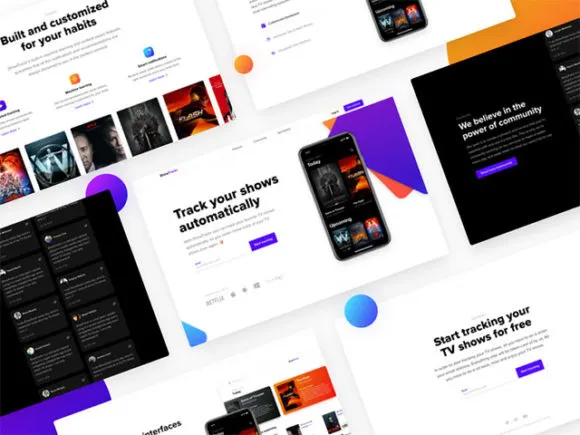
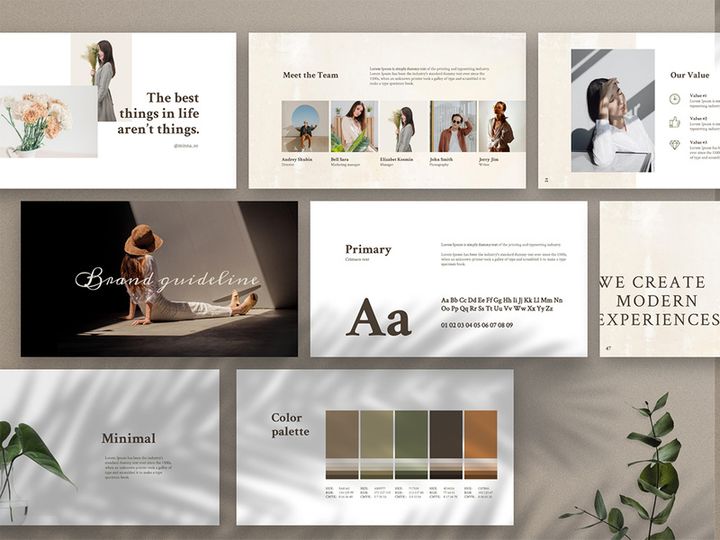
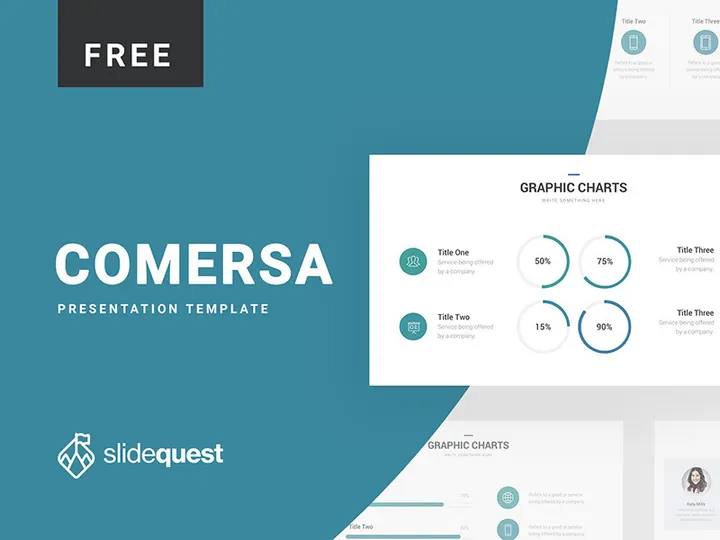
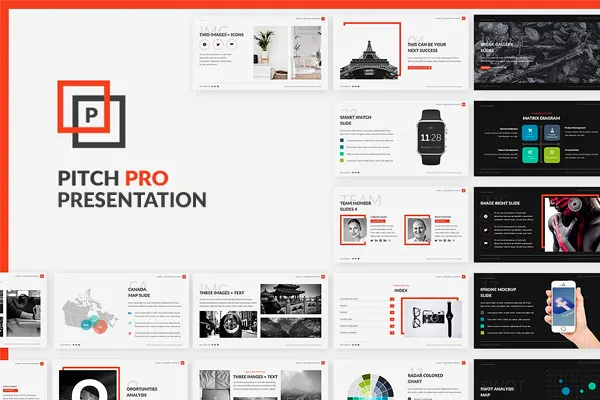

Try Our Free Resources
Download any of these for free - no account required
![Food Social Media Post Template [PSD]](https://items.epicpxls.com/uploads/photo/ea43ea60679677f660c5ce9ce3ea9d87)
Why Templates for Business Projects?
Templates have revolutionized the way professionals approach business design, offering a streamlined path from concept to completion. In fast-paced corporate environments, time is a premium resource, and pre-made templates provide an efficient solution by eliminating the need to build designs from scratch. Whether crafting a pitch deck, designing internal reports, or developing branded marketing collateral, templates accelerate the design process while maintaining a high standard of professionalism. They serve as strategic starting points, allowing business designers to focus on customization, messaging, and data visualization instead of layout fundamentals.
Common business design requirements often include consistency in branding, clarity in communication, and adaptability across platforms. Presentations must be visually engaging yet easy to update; reports need structured layouts to display complex data clearly; and marketing materials should reflect brand identity with precision. Templates meet these demands by offering pre-formatted structures that align with industry best practices. From color schemes and typography to grid systems and iconography, business-ready templates are built to support clarity, credibility, and visual harmony.
At EpicPxls, we understand the unique challenges business professionals face when balancing creativity with efficiency. That’s why we’ve curated a comprehensive library of 2691+ resources specifically tailored for business use cases. Each template is selected for its adaptability, clean design, and alignment with real-world business needs—ensuring that whether you're a startup founder, corporate marketer, or consulting designer, you’ll find tools that integrate seamlessly into your workflow. With a focus on usability and aesthetic quality, EpicPxls delivers business design solutions that are not only fast to implement but also polished and impactful.
What Business Designers Need
Essential Templates Types
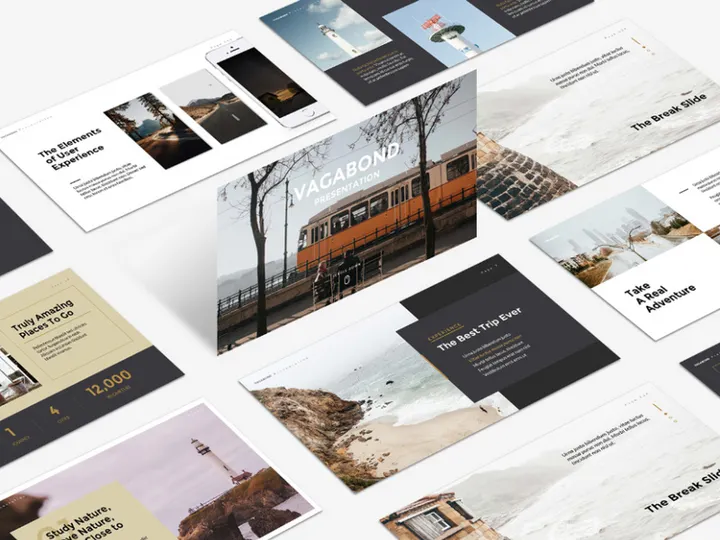
Successful business design relies on having the right tools for the right task. Among the 2691+ resources available, certain template types are foundational to everyday business operations. Presentation templates—especially for pitches, board meetings, and investor updates—are among the most widely used, offering structured layouts for storytelling with data and visuals. Report templates streamline the creation of financial summaries, performance reviews, and project updates, often featuring built-in charts and section dividers.
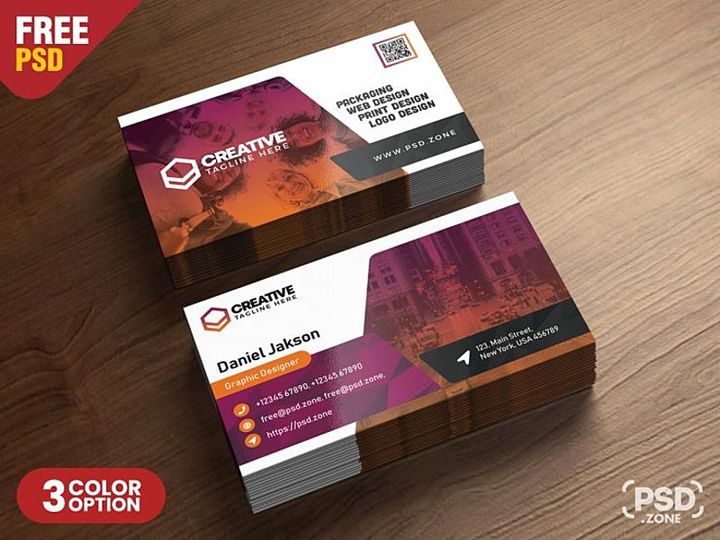
Business card and letterhead templates maintain brand consistency across physical and digital correspondence. Proposal templates help sales and consulting teams deliver compelling offers with professional formatting. Infographic templates simplify complex information into digestible visuals, ideal for internal training or client education. Additionally, social media content kits, email newsletter layouts, and dashboard UI templates support digital engagement and operational transparency. At EpicPxls, these categories are thoughtfully organized so users can quickly access the exact template type they need for any business scenario.
Format Requirements
Compatibility and flexibility are critical when selecting templates for business workflows. The most effective file formats ensure seamless collaboration across teams and software platforms. PowerPoint (PPTX) and Google Slides templates are essential for presentations, offering editable text, scalable graphics, and animation support. For print and high-resolution outputs, PDF and print-ready PSD (Photoshop) files ensure sharp, professional results. Designers working in creative suites often prefer editable AI (Adobe Illustrator) or Figma files, which allow for full customization of vectors, layers, and brand elements.
For data-driven projects, Excel-compatible templates or those integrated with Google Sheets help automate reporting and dashboards. Web-based designs benefit from HTML or responsive CSS templates, especially when creating email campaigns or landing pages. EpicPxls delivers templates in a wide range of formats, ensuring that regardless of your preferred toolset—be it Canva, Adobe Creative Cloud, Microsoft Office, or cloud-based platforms—you can find a resource that fits your workflow without conversion hassles.
Quality Standards
Not all templates deliver the same level of polish and functionality. Business-ready templates must meet high quality standards to ensure professionalism and ease of use. First, attention to typography and spacing is essential—clean, readable fonts and balanced layouts convey credibility. Templates should follow design principles like visual hierarchy, consistent alignment, and appropriate white space to enhance comprehension.
High-resolution assets, scalable vectors, and layered files are non-negotiable for branding and print applications. A quality template should also be well-organized, with clearly labeled layers, grouped elements, and intuitive navigation—especially important for team collaboration. Customizability is another key factor: the best templates allow easy color swaps, logo insertion, and content reflow without breaking the design. At EpicPxls, every one of the 2691+ resources undergoes a rigorous review process to ensure it meets these standards, giving business designers confidence that their chosen template will perform flawlessly in real-world applications.
Business Design Project Walkthrough
- Define the Project Scope: Begin by identifying the goal of your design—whether it’s a sales presentation, annual report, or brand launch. Clarify the audience, key messages, and required content. This step ensures you select templates that align with your purpose.
- Select Relevant Templates: Browse the 2691+ resources at EpicPxls to find templates that match your project type. Use filters by category, format, or style to narrow down options. Look for templates that include the sections you need, such as executive summaries, data charts, or team bios.
- Customize Brand Elements: Once you’ve chosen a base template, begin integrating your brand identity. Replace placeholder colors with your brand palette, insert your logo, and update fonts to match your guidelines. This ensures consistency and reinforces brand recognition.
- Populate with Content: Add your text, images, and data. Use the template’s structure to organize information logically—headings, bullet points, and captions should guide the viewer naturally. Replace stock imagery with authentic visuals when possible to increase relatability.
- Combine Multiple Templates: For larger projects, it’s often effective to blend elements from different templates. For example, use a presentation template for the main deck but pull infographic slides from another to enhance data storytelling. Ensure visual harmony by standardizing fonts, colors, and icon styles across all borrowed components.
- Review and Export: Conduct a final review for accuracy, alignment, and brand consistency. Test the file across devices if it’s digital, or print a sample for physical materials. Export in the appropriate format—PPTX for edits, PDF for sharing, or PNG/JPG for web use. Your polished, professional business design is now ready for delivery.
This step-by-step approach maximizes the value of pre-made resources while allowing room for creativity and personalization. By leveraging the depth and variety of the 2691+ templates available, business designers can maintain speed without sacrificing quality.
Business Design Workflow Tips
Speed Up Your Process
Time efficiency is one of the greatest advantages of using pre-made templates. Instead of starting with a blank canvas, business designers can jump straight into refinement and content integration. To maximize speed, create a personal library of go-to templates for recurring projects—such as monthly reports, client proposals, or onboarding decks. Save customized versions as master files to reuse in the future. At EpicPxls, many templates are designed with drag-and-drop functionality and smart placeholders, reducing the time needed for layout adjustments. Additionally, using templates with built-in animation or transition effects can elevate presentations with minimal effort.
Maintain Consistency
Brand consistency builds trust and professionalism. When working across multiple documents or team members, it’s essential to maintain uniformity in colors, fonts, spacing, and tone. Use a core set of templates from the same design family to ensure visual cohesion. Templates from EpicPxls are often part of themed collections—meaning you can select a matching presentation, report, and social media kit that all align aesthetically. Establish a style guide based on your chosen template’s design elements, and share it with stakeholders to ensure everyone stays on brand. Consistency not only strengthens identity but also makes materials easier to navigate and more memorable.
Client Presentation
How you deliver your design impacts how it’s received. When presenting to clients or executives, use templates that convey confidence and clarity. Opt for clean, minimalist layouts that highlight your message rather than distract from it. Animate slides purposefully—use transitions to guide attention, not to impress. Export presentations as PDFs or shareable links to prevent formatting issues on different devices. Many of the 2691+ resources at EpicPxls include presenter notes, slide masters, and alternate layouts to support confident delivery. Consider adding a branded cover and appendix slides to enhance professionalism. With the right template, your content doesn’t just look good—it lands with impact.
Business Design Inspiration
Staying current with design trends is essential for creating modern, effective business materials. Today’s top designs favor simplicity, bold typography, and purposeful use of color. Minimalist layouts with generous white space help audiences focus on key messages. Duotone imagery and subtle gradients add visual interest without overwhelming content. Data visualization is increasingly sophisticated, with custom charts, interactive elements, and storytelling frameworks that turn numbers into narratives. Dark mode presentations are also gaining traction, offering a sleek, contemporary look ideal for tech and innovation-focused industries.
Leading designers approach business projects with a user-first mindset. They prioritize clarity over complexity, ensuring that every element serves a purpose. They also embrace modular design—using reusable components across templates to ensure consistency and reduce production time. Many incorporate storytelling techniques, structuring presentations like narratives with a clear beginning, middle, and end. This approach resonates more deeply with audiences than traditional bullet-point-heavy formats.
To elevate your work, explore curated collections that reflect these trends. The 2691+ resources at EpicPxls are regularly updated to include modern styles, fresh color palettes, and innovative layouts used by top professionals. Whether you're looking for AI-powered pitch decks, sustainability report templates, or hybrid event branding kits, the platform offers inspiration that bridges the gap between function and aesthetics. By studying and adapting these designs, business creators can produce work that’s not only efficient but also memorable and influential.
Why Download from EpicPxls?
Commercial License
Use in personal and commercial projects
No Account Required
Download free resources instantly
Quality Curated
Every resource is reviewed for quality
Preview Files
See Figma and Photoshop files before downloading
Who Uses These Templates?
Professionals and teams who benefit most from our collection
UI/UX Designers
Speed up your workflow with ready-to-use templates for design tools. Perfect for prototyping and client presentations.
Developers
Get production-ready assets without design skills. Export in any format for web and mobile apps.
Startups & Agencies
Save design budget with affordable premium templates. Commercial license included for client work.
Marketing Teams
Create professional campaigns faster. All templates are optimized for social media and ads.
Templates FAQCommon questions about these resources
Simple, Transparent Pricing
Get unlimited access to all premium resources
Yearly
- 20 downloads per month
- All file formats
- Commercial license
Lifetime
- Unlimited downloads forever
- All file formats
- Commercial license
Ready to Get Started?
Access 4,442+ free design resources today.
Browse Free ResourcesView Premium PlansEarn 85% and
more on all sales
Upload your products and put them up
for sale at whatever price you want.


