Sketch Plugins: 22+ Design Resources
EpicPxls offers 22+ curated sketch plugins, all with a commercial license and editable source files (Figma, Sketch, PSD). We have 22+ sketch plugins available, with new additions added regularly by our community of designers.
Last updated February 12, 2026
Discover 22+ handpicked sketch plugins from top designers.
Trusted by designers at leading companies
Top Sketch Plugins
Handpicked resources from our curated collection
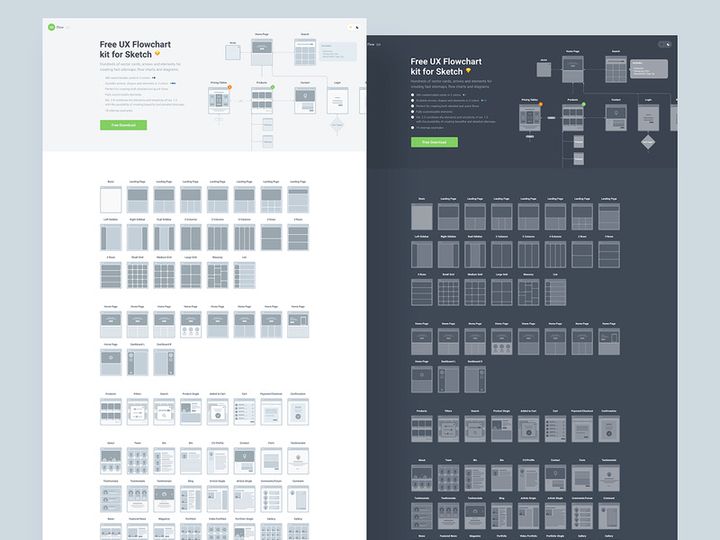

![[FREE] Neumorphic Elements Sketch File preview picture](https://imgproxy.epicpxls.com/1LP-mgM1yxuraXwlPkHmtVFqYJ7C3k3aVWL1K9MfKwQ/rs:fill:720:540:0/g:no/aHR0cHM6Ly9pdGVt/cy5lcGljcHhscy5j/b20vdXBsb2Fkcy9w/aG90by8xNzY4MzZk/MWQyYzM3MGFhYTc2/Yzc5YTA0YjBjYTVk/YQ.jpg)







Try Our Free Resources
Download any of these for free - no account required

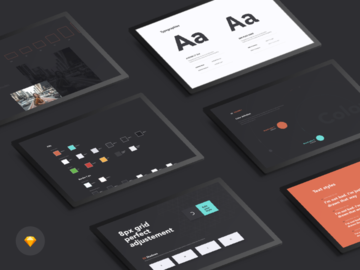
![[FREE] Neumorphic Elements Sketch File](https://items.epicpxls.com/uploads/photo/7490b9d79b6182d61dae3b938edcb366)
Browse Sketch Plugins
Discover a thoughtfully curated collection of over 22 sketch plugins designed to elevate your design workflow and boost your productivity. At EpicPxls, we understand that modern designers need fast, reliable, and visually compelling tools to bring their creative visions to life. That’s why our Sketch plugins directory brings together a diverse range of resources tailored for UI/UX designers, product teams, freelancers, and agencies alike. Each plugin is selected for its functionality, ease of integration, and design quality, ensuring that every download contributes meaningfully to your daily projects.
All resources in the EpicPxls library are created by experienced designers and vetted by our internal quality team. We prioritize plugins that adhere to Sketch’s best practices, maintain clean code structures, and offer intuitive user experiences. Whether you're automating repetitive tasks, enhancing prototyping capabilities, or streamlining design systems, the plugins featured here are built to perform reliably across real-world use cases. Our contributors range from independent developers to established design studios, all united by a commitment to excellence and innovation.
The collection of 22+ resources is continuously updated based on user feedback, emerging design trends, and technological advancements in the Sketch ecosystem. We manually curate each addition to ensure relevance, compatibility with the latest Sketch versions, and alignment with contemporary design needs. From layout generators and icon managers to content fillers and export optimizers, the Sketch plugins on EpicPxls are more than just tools—they’re essential assets for designers who value efficiency without sacrificing creativity.
What's Trending in Sketch Plugins
Popular Styles in 2026
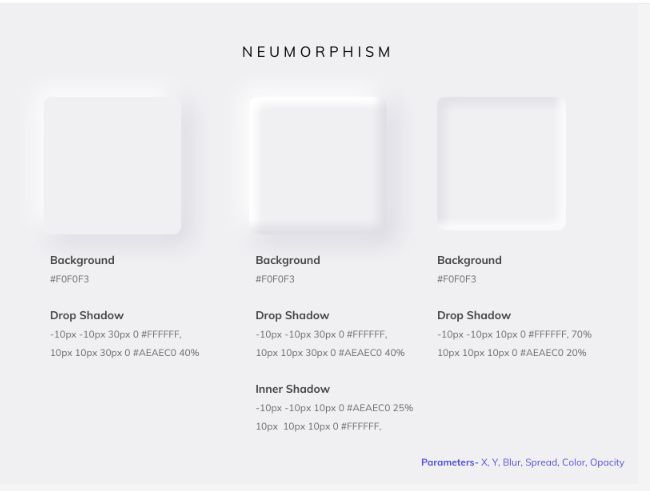
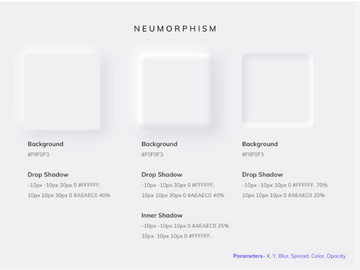
In 2026, Sketch plugins are embracing minimalist interfaces with powerful under-the-hood functionality. Clean, lightweight designs dominate the landscape, focusing on seamless integration within the Sketch workspace. Designers are gravitating toward plugins that support neumorphism, glassmorphism, and soft UI aesthetics—styles that emphasize depth, transparency, and subtle shadows. These visual trends are mirrored in the plugin interfaces themselves, which now prioritize intuitive navigation, real-time previews, and dark mode compatibility. Additionally, plugins that support component-based design systems and dynamic resizing are seeing increased adoption, reflecting the industry’s shift toward scalable, modular design practices.
Most Downloaded Categories
The most popular Sketch plugins by download volume fall into several key categories: design system automation, icon and asset management, content population, and export optimization. Tools that auto-generate design tokens, sync color palettes, and manage typography hierarchies are in high demand, especially among teams working on large-scale applications. Plugins that streamline placeholder content insertion—such as realistic text, avatars, and product images—are also widely used during early-stage wireframing. Export-focused tools that simplify exporting assets in multiple resolutions and formats continue to rank among the top downloads, helping designers maintain consistency across platforms and devices.
Emerging Themes
New directions in Sketch plugins are centered around AI integration, cross-platform collaboration, and sustainability in design workflows. Intelligent plugins that leverage machine learning to suggest layouts, auto-tag layers, or optimize file structure are gaining traction. Another emerging theme is interoperability—plugins that allow Sketch files to interact with external tools like Jira, Notion, or development environments are becoming essential for integrated design-to-development pipelines. Additionally, there's a growing emphasis on eco-conscious design, with plugins that analyze file bloat, reduce redundant layers, and promote efficient asset usage. These innovations reflect a broader shift toward smarter, more connected, and environmentally aware design ecosystems.
How to Download Sketch Plugins
- Navigate to the Sketch Plugins section on EpicPxls, where you’ll find a handpicked selection of 22+ resources ready for immediate use. Use the filters to narrow results by category, file type, or license type to find exactly what you need.
- Click on any plugin to view its detailed preview page. Here, you can explore high-resolution screenshots, read a full description of features, check compatibility with your version of Sketch, and review user ratings and feedback.
- Decide whether you need the free or premium version. Free plugins are fully functional and ideal for personal projects or learning, while premium plugins offer advanced features, priority support, and commercial licensing rights.
- Click the “Download” button. For free resources, the file will begin downloading immediately. For premium plugins, you may need to complete a secure checkout process using a credit card or digital wallet.
- Once downloaded, open the .sketchplugin file and follow Sketch’s built-in installer prompt to install the plugin. After installation, access it via the Plugins menu in Sketch and start enhancing your workflow right away.
Whether you're downloading a simple icon generator or a full-featured design system manager, EpicPxls ensures a smooth, user-friendly experience from browse to install. Our 22+ resources are tested for security and performance, so you can download with confidence knowing each plugin meets professional standards.
Sketch Plugins Category Breakdown
By File Format
Sketch plugins are primarily distributed in the native .sketchplugin format, ensuring seamless integration with the Sketch application. However, many resources on EpicPxls also include supplementary files in other formats to enhance flexibility. Figma files may be included for teams transitioning between design tools or collaborating across platforms. PSD (Photoshop) files are useful for designers who need layered raster graphics for marketing or presentation purposes. AI (Adobe Illustrator) files offer vector scalability for logo or icon work. SVG assets are ideal for web developers who need crisp, resolution-independent graphics. PNG previews provide quick visual references and are often used in documentation or client presentations. Understanding when to use each format ensures compatibility and maximizes efficiency—use Sketch files for active design work, SVGs for web assets, and PNGs for static previews.
By License Type
Each plugin on EpicPxls comes with a clearly defined license to protect both creators and users. Personal licenses allow use in non-commercial projects, educational work, or private experimentation. These are perfect for students, hobbyists, or designers building portfolios. Commercial licenses, available with premium plugins, grant the right to use the resource in client work, SaaS products, marketing campaigns, and revenue-generating applications. Some commercial licenses also include extended rights for unlimited projects or white-label usage. It’s important to review the license details before use to ensure compliance. EpicPxls enforces strict licensing transparency so you can confidently select the right plugin for your project scope.
By Complexity
Sketch plugins vary significantly in complexity, catering to designers at every skill level. Simple assets include lightweight tools like color palette importers, layer namer utilities, or quick export shortcuts. These are ideal for beginners or those looking to automate small, repetitive tasks. Intermediate plugins often feature multiple functions—such as content generators with API integration or responsive grid systems—and require a basic understanding of Sketch’s plugin architecture. At the higher end, complete kits offer comprehensive solutions like full design system managers, component libraries with auto-updating capabilities, or AI-powered layout assistants. These advanced tools are geared toward professional teams managing complex, large-scale projects. With over 22 resources available, EpicPxls offers a balanced mix of simplicity and sophistication, ensuring every designer finds a tool that matches their workflow needs.
Making the Most of Sketch Plugins
Organizing Your Library
To maximize efficiency, keep your installed Sketch plugins organized by purpose and frequency of use. Create folders or tags within your design system documentation to categorize plugins—group them into “Layout Tools,” “Content Generators,” “Export Helpers,” and “Design System Managers.” Regularly audit your plugin library to remove outdated or unused tools, which can slow down Sketch’s performance. Consider maintaining a master list of plugins with version numbers and installation dates, especially if you're working in a team environment where consistency is critical.
Customization Tips
Many Sketch plugins offer customizable settings to align with your workflow. Take time to explore preferences and shortcut options—some plugins allow you to define default values, such as font families, spacing units, or export directories. For plugins that generate UI components, customize the base styles to match your brand guidelines so outputs are production-ready from the start. If a plugin supports scripting or API connections, consider integrating it with your content management system or design handoff tool for even greater automation.
Common Mistakes to Avoid
- Overloading Sketch with too many plugins – Installing every available tool can degrade performance and create menu clutter. Stick to plugins you actively use.
- Ignoring plugin updates – Outdated plugins may break with new Sketch versions. Enable auto-updates or check for updates monthly.
- Using unlicensed plugins for commercial work – Always verify the license type before using a plugin in client or revenue-generating projects to avoid legal issues.
- Skipping documentation – Many powerful features go unused because designers don’t read the included guides or watch tutorial videos.
- Assuming cross-platform compatibility – Not all Sketch plugins work in Figma or Adobe XD. Always confirm the intended platform before investing time in integration.
By following these best practices, you can turn the 22+ resources on EpicPxls from simple downloads into transformative tools that streamline your design process, reduce errors, and free up time for creative exploration. Whether you're refining a single screen or managing an entire product suite, the right Sketch plugins make all the difference.
Why Download from EpicPxls?
Commercial License
Use in personal and commercial projects
No Account Required
Download free resources instantly
Quality Curated
Every resource is reviewed for quality
Preview Files
See Figma and Photoshop files before downloading
Who Uses These Sketch Plugins?
Professionals and teams who benefit most from our collection
UI/UX Designers
Speed up your workflow with ready-to-use sketch plugins for design tools. Perfect for prototyping and client presentations.
Developers
Get production-ready assets without design skills. Export in any format for web and mobile apps.
Startups & Agencies
Save design budget with affordable premium sketch plugins. Commercial license included for client work.
Marketing Teams
Create professional campaigns faster. All sketch plugins are optimized for social media and ads.
Sketch Plugins FAQCommon questions about these resources
Simple, Transparent Pricing
Get unlimited access to all premium resources
Yearly
- 20 downloads per month
- All file formats
- Commercial license
Lifetime
- Unlimited downloads forever
- All file formats
- Commercial license
Ready to Get Started?
Access 4,441+ free design resources today.
Browse Free ResourcesView Premium PlansEarn 85% and
more on all sales
Upload your products and put them up
for sale at whatever price you want.


