Widgets for HTML: 24+ Resources
EpicPxls offers 26+ curated widgets for HTML, all with a commercial license and editable source files (Figma, Sketch, PSD). We have 26+ widgets compatible with HTML, tested and verified for seamless integration.
Last updated May 22, 2026
Discover 24+ handpicked widgets for HTML.
Trusted by designers at leading companies
Top Widgets for HTML
Handpicked resources from our curated collection




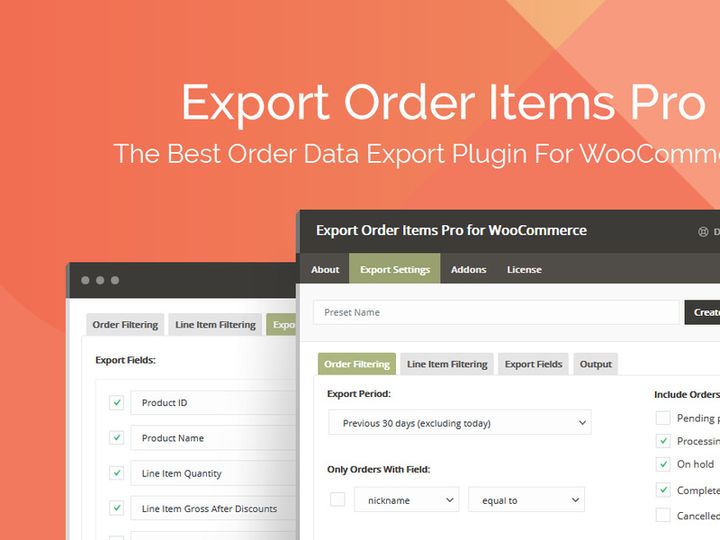
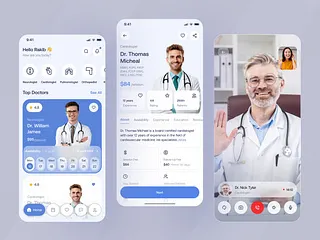

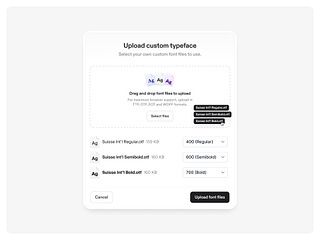
Try Our Free Resources
Download any of these for free - no account required
Why HTML for Widgets?
HTML has long been the backbone of web development, and its role in creating interactive, dynamic widgets continues to grow. As a markup language, HTML provides the structure necessary for embedding lightweight, reusable components—commonly known as widgets—into websites and web applications. Its simplicity, broad browser support, and seamless integration with CSS and JavaScript make HTML an ideal platform for widget development. Whether you're building a weather display, a social media feed, or a live data dashboard, HTML offers a consistent, accessible foundation.
One of the key features that make HTML a favorite for widget creation is its declarative syntax. Developers can define widget components using semantic tags like <div>, <section>, and <widget> (in custom elements), making code easier to read and maintain. Combined with modern standards like Web Components and Custom Elements, HTML enables encapsulation and reusability—critical for scalable widget systems. Additionally, HTML widgets are inherently lightweight and fast-loading, ensuring optimal performance across devices and network conditions.
Another advantage is cross-platform compatibility. HTML-based widgets function consistently across desktop and mobile browsers, and with responsive design techniques, they adapt seamlessly to any screen size. This universality reduces development time and increases reach. Furthermore, HTML integrates effortlessly with JavaScript frameworks such as React, Vue, and Angular, allowing developers to enhance widgets with dynamic behavior without sacrificing accessibility or SEO.
At EpicPxls, we recognize the power of HTML in widget development. That’s why our team curates a growing selection of over 24+ high-quality, HTML-compatible widgets—each tested for performance, accessibility, and ease of integration. From pre-built UI elements to customizable code snippets, our 24+ resources are designed to help developers at all levels bring their visions to life efficiently and effectively.
Top Widgets Picks for HTML
With so many HTML widgets available, choosing the right ones can significantly impact your project’s success. Whether you're just starting out or are a seasoned developer, the right tools can streamline your workflow and elevate your web experience. The 24+ resources available through EpicPxls span a wide range of functionality, design quality, and complexity—ensuring there's something for everyone. Below, we’ve highlighted our top picks across three essential categories.
Best for Beginners
If you're new to HTML development, simplicity and clarity are key. The best beginner-friendly widgets are those that come with clear documentation, minimal setup, and visual examples. Look for resources that use plain HTML and CSS with optional JavaScript enhancements. Widgets such as weather displays, countdown timers, and embedded contact forms are excellent starting points. Many of these tools use intuitive class names and inline comments, allowing newcomers to understand how each piece works. EpicPxls features several no-code or low-code widgets that can be copied and pasted directly into your project, helping you learn by doing.
Best for Professionals
Experienced developers need widgets that offer depth, flexibility, and scalability. The top-tier resources in our 24+ collection include modular components built with modern standards like Web Components, Shadow DOM, and ES6 modules. These widgets support APIs, real-time data feeds, and advanced styling through CSS variables and theming options. Examples include interactive charts, dynamic navigation bars, and embedded analytics dashboards. These tools are designed for integration into complex systems, with strong performance optimization and accessibility compliance baked in.
Best Free Options
High-quality doesn’t have to mean high cost. Among the 24+ resources curated by EpicPxls, several standout widgets are completely free while maintaining excellent standards. These include responsive sliders, animated buttons, and social media feed integrations. What sets them apart is their clean codebase, active community support, and frequent updates. Free widgets from trusted sources ensure you’re not sacrificing security or maintainability. They’re perfect for personal projects, small businesses, or prototypes where budget is a concern but quality still matters.
HTML vs Other Tools for Widgets
When it comes to building widgets, developers often consider various technologies—ranging from native mobile frameworks to visual page builders. However, HTML remains a top choice due to its universal support and open standards. Unlike proprietary tools that lock you into specific ecosystems, HTML ensures your widgets remain portable, inspectable, and future-proof. This openness means you retain full control over customization and performance optimization.
One of HTML’s standout advantages is its compatibility with nearly every modern web technology. Whether you're using a CMS, a static site generator, or a single-page application framework, HTML widgets integrate smoothly. They work equally well in WordPress themes, Shopify stores, and custom-built platforms. Additionally, HTML-based widgets are inherently accessible when coded properly, supporting screen readers and keyboard navigation—something not all third-party tools guarantee.
Compared to drag-and-drop widget builders, HTML offers greater flexibility and precision. While visual tools may speed up simple implementations, they often generate bloated code or limit styling options. HTML allows developers to write lean, semantic markup tailored to their needs. Furthermore, format compatibility is rarely an issue—HTML widgets can be enhanced with CSS animations, SVG graphics, and JavaScript interactivity without requiring external plugins.
EpicPxls focuses exclusively on HTML-compatible resources because we believe in open, standards-based development. Our 24+ curated widgets are designed to work across environments, ensuring that whatever toolchain you use, you’ll find a seamless fit.
Setting Up Widgets in HTML
Integrating widgets into your HTML project is a straightforward process when you follow best practices. Whether you're adding a single component or managing a library of interactive elements, these six steps will help you import, organize, and deploy widgets efficiently.
- Choose the Right Widget: Start by selecting a widget from a trusted source. At EpicPxls, each of the 24+ resources includes compatibility details and use-case recommendations to guide your choice.
- Download or Copy the Code: Most HTML widgets come as downloadable ZIP files or direct code snippets. Copy the HTML, CSS, and JavaScript files to your project directory or paste the code into your document.
- Link External Files: If the widget uses separate CSS or JS files, link them in your HTML using
<link>and<script>tags in the<head>or before the closing</body>tag. - Insert the HTML Structure: Place the widget’s HTML markup in the desired location within your page. Use semantic containers like
<aside>or<section>for better accessibility. - Customize Styling and Behavior: Adjust colors, fonts, and layout using CSS. Modify functionality by editing JavaScript event listeners or data sources as needed.
- Test Across Devices: Always preview your widget on different screen sizes and browsers. Check for responsiveness, load speed, and accessibility compliance before going live.
For teams managing large collections, consider creating a dedicated /widgets folder and using a naming convention that reflects function and version. This makes updates and audits much easier. With the 24+ resources from EpicPxls, you’ll find consistent file structures and clear instructions to simplify deployment across multiple projects.
HTML Workflow Tips
Efficiency in widget development comes not just from choosing the right tools, but from optimizing how you use them. As your collection of HTML widgets grows, maintaining order and consistency becomes crucial. Here are three proven strategies to enhance your workflow and get the most out of your resources.
Organizing Widgets Libraries
Create a centralized directory for all your HTML widgets, categorized by function—such as navigation, forms, media, or analytics. Use descriptive folder names and include a README.md file with usage notes and dependencies. Consider versioning your widgets, especially if you're customizing them for different clients or projects. This structure makes it easy to locate and reuse components, reducing duplication and saving time.
Batch Operations
When managing multiple widgets, automate repetitive tasks using build tools like Webpack, Gulp, or npm scripts. You can minify CSS and JavaScript, optimize images, and even validate HTML structure across all widgets at once. For example, a single script can update API endpoints or inject analytics tracking across dozens of components. These batch operations ensure consistency and reduce human error, especially when deploying updates.
Collaboration Best Practices
In team environments, clear communication and documentation are essential. Use shared style guides that define class naming conventions (like BEM or SMACSS) and JavaScript patterns. Store your widgets in a version-controlled repository such as Git, with meaningful commit messages. Encourage peer reviews for new widget integrations to maintain code quality. When team members use the same curated set of resources—like the 24+ options from EpicPxls—onboarding becomes faster and output becomes more uniform.
Why Download from EpicPxls?
Commercial License
Use in personal and commercial projects
No Account Required
Download free resources instantly
Quality Curated
Every resource is reviewed for quality
Preview Files
See Figma and Photoshop files before downloading
Who Uses These Widgets?
Professionals and teams who benefit most from our collection
UI/UX Designers
Speed up your workflow with ready-to-use widgets for HTML. Perfect for prototyping and client presentations.
Developers
Get production-ready assets without design skills. Export in any format for web and mobile apps.
Startups & Agencies
Save design budget with affordable premium widgets. Commercial license included.
Marketing Teams
Create professional campaigns faster. All widgets are optimized for social media and ads.
Widgets for HTML FAQCommon questions about these resources
Simple, Transparent Pricing
Get unlimited access to all premium resources
Yearly
- 20 downloads per month
- All file formats
- Commercial license
Lifetime
- Unlimited downloads forever
- All file formats
- Commercial license
Ready to Get Started?
Access 4,442+ free design resources today.
Browse Free ResourcesView Premium PlansEarn 85% and
more on all sales
Upload your products and put them up
for sale at whatever price you want.


