Widgets: 58+ Design Resources
EpicPxls offers 60+ curated widgets, all with a commercial license and editable source files (Figma, Sketch, PSD). We have 60+ widgets available, with new additions added regularly by our community of designers.
Last updated February 12, 2026
Discover 58+ handpicked widgets from top designers.
Trusted by designers at leading companies
Top Widgets
Handpicked resources from our curated collection

![Conversation Widget [Sketch] preview picture](https://imgproxy.epicpxls.com/hHP660xXrYj0g8G6FySx6rJ9MI5dZsMFNzyf1Pr5iTI/rs:fill:720:540:0/g:no/aHR0cHM6Ly9pdGVt/cy5lcGljcHhscy5j/b20vdXBsb2Fkcy9w/aG90by8yZGQ3Njdk/MmY1NTUyMWEyNTE0/MjhjNjZkOTg5NmZm/Zi5wbmc.jpg)
![Desktop Messaging App Concept [Sketch] preview picture](https://imgproxy.epicpxls.com/vHgcuXN_96RRIfL5n4T0H49N_YcmiQVOmYlNJOY7E8s/rs:fill:720:540:0/g:no/aHR0cHM6Ly9pdGVt/cy5lcGljcHhscy5j/b20vdXBsb2Fkcy9w/aG90by8yMWVlM2Y2/ODM2MzBjNTM0ZWU1/M2U1MWI4NmU0ZmFh/Yi5qcGc.jpg)



Try Our Free Resources
Download any of these for free - no account required
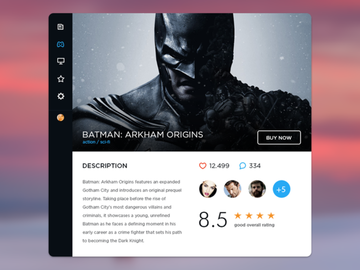
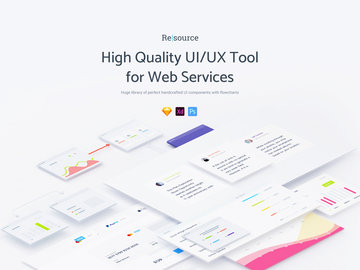
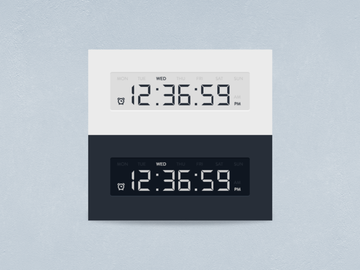
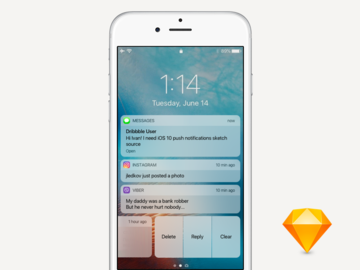
Browse Widgets
At EpicPxls, our curated collection of widgets is designed to empower creators, developers, and designers with high-quality, ready-to-use interface elements that elevate digital projects. With over 58+ resources available in the Widgets category, you’ll find everything from sleek app components to interactive dashboard elements, all crafted to save time and maintain visual consistency across platforms. Whether you're building a mobile application, designing a responsive website, or prototyping a new SaaS product, our widget library offers versatile solutions tailored to modern design workflows.
Each widget in the collection is created by experienced designers and UI/UX professionals who adhere to strict quality standards. We prioritize clean vector graphics, scalable design systems, and adherence to platform-specific guidelines—ensuring that every download integrates smoothly into your projects. Our team at EpicPxls reviews each submission for resolution, layer organization, naming conventions, and overall usability, guaranteeing that only the most polished and functional assets make it into the directory.
The 58+ items in our Widgets collection are thoughtfully curated based on functionality, aesthetic relevance, and user demand. We continuously update the library to reflect evolving design trends, technological advancements, and feedback from our active community. This ensures that whether you're looking for minimalist iOS widgets, dark-mode-compatible components, or animated UI blocks, the right resource is just a few clicks away. By combining creative excellence with practical utility, EpicPxls has become a trusted source for designers seeking reliable, production-ready widgets.
What's Trending in Widgets
Popular Styles in 2026
In 2026, widget design continues to evolve toward minimalism, clarity, and contextual intelligence. Designers are embracing neumorphism with subtle shadows and soft color gradients, creating elements that feel both tactile and modern. Glassmorphism remains a favorite for dashboard and mobile widgets, offering frosted transparency effects that enhance depth without sacrificing readability. Additionally, adaptive widgets that respond to user behavior or environmental factors—like time of day or location—are gaining popularity, especially in smart home and wearable applications.
Typography has also taken center stage, with variable fonts being used dynamically within widgets to adjust weight and spacing based on screen size or content length. Iconography trends favor outline-style symbols with consistent stroke widths and rounded terminals, aligning with major design systems like Material You and Fluent Design. These stylistic choices ensure widgets remain accessible, scalable, and visually harmonious across devices.
Most Downloaded Categories
Among the 58+ resources available, certain categories consistently lead in downloads. Weather widgets, fitness trackers, and calendar integrations top the list due to their universal application in mobile and desktop environments. Task management widgets—such as to-do lists and habit trackers—are also highly sought after, particularly by productivity app developers. System status monitors, including battery, network, and CPU indicators, are frequently downloaded for dashboard and admin panel projects.
Additionally, music and media control widgets continue to be popular, especially those featuring dynamic album art and playback controls. Designers appreciate pre-built variants that support light and dark modes, ensuring seamless integration into diverse themes. These high-demand categories reflect the growing need for functional, glanceable information displays in an increasingly fast-paced digital landscape.
Emerging Themes
New directions in widget design are being shaped by personalization, AI integration, and cross-platform synchronization. Context-aware widgets that surface relevant information—like commute time during morning hours or upcoming meetings before work—represent a shift toward proactive user experiences. Designers are exploring micro-interactions and small-scale animations to make widgets feel more alive and engaging without overwhelming the interface.
Another emerging theme is sustainability-focused widgets, such as carbon footprint trackers or energy usage monitors, aligning with broader environmental awareness in tech. Modular design systems are also gaining traction, allowing users to mix and match widget components to create custom home screens or dashboards. At EpicPxls, we’re committed to spotlighting these forward-thinking trends, ensuring our 58+ widget resources reflect not just current needs, but future possibilities.
How to Download Widgets
- Browse the Widgets category: Start by navigating to the Widgets section on EpicPxls. Use filters like file format, license type, or complexity to narrow down the 58+ resources to what best fits your project needs.
- Preview each widget: Click on any resource to view detailed previews, including multiple screen mockups, layer structure, and color palette information. This helps you assess quality and compatibility before downloading.
- Check license and usage rights: Review the license details to confirm whether the widget is free for personal use or includes commercial rights. This step ensures compliance with redistribution and monetization policies.
- Log in or create an account: To access downloads, sign in to your EpicPxls account. Registration is free and grants you access to exclusive content, download history, and personalized recommendations.
- Download and unzip: Click the download button—free resources are available immediately, while premium items may require a one-time unlock or subscription. Once downloaded, extract the files and import them into your preferred design or development environment.
The entire process is streamlined for efficiency, whether you're grabbing a single PNG icon or a full Figma widget kit. EpicPxls ensures fast server speeds and virus-free files, so you can focus on creating without interruption. With new widgets added regularly, returning to explore updates is always worthwhile.
Widgets Category Breakdown
By File Format
The 58+ widgets on EpicPxls come in a variety of file formats to suit different design and development workflows. Figma files are the most popular, offering collaborative editing, component libraries, and auto-layout features ideal for team-based projects. PSD (Photoshop) files remain valuable for pixel-perfect editing and are often used in legacy workflows or detailed image compositing.
AI (Adobe Illustrator) files provide scalable vector graphics, perfect for logos, icons, and print-ready assets. Sketch files cater to macOS users and integrate well with design plugins and handoff tools. For web and mobile developers, SVG files offer resolution-independent graphics that scale beautifully across devices, while PNG files provide transparent backgrounds and are ideal for static previews or direct implementation.
Choosing the right format depends on your tools and use case. Figma and Sketch are best for UI/UX prototyping, AI and SVG for scalable graphics, and PNG for quick integration. EpicPxls labels each resource clearly, so you can select the optimal file type with confidence.
By License Type
Understanding licensing is crucial when using widgets in professional projects. On EpicPxls, resources are categorized by license type to ensure transparency and legal compliance. Personal use licenses allow you to incorporate widgets into non-commercial projects, such as student work, hobby apps, or internal tools with no revenue generation.
Commercial licenses, on the other hand, grant rights to use widgets in products intended for sale, client work, or monetized platforms. This includes mobile apps, SaaS dashboards, or websites with advertising. Most premium widgets on EpicPxls include commercial usage rights, often under a royalty-free model, meaning you pay once and use indefinitely across multiple projects.
Some advanced kits may include extended licensing for enterprise use or redistribution. Always review the license details on each product page to ensure your intended use is covered. EpicPxls clearly outlines these terms to help you avoid legal pitfalls and use widgets responsibly.
By Complexity
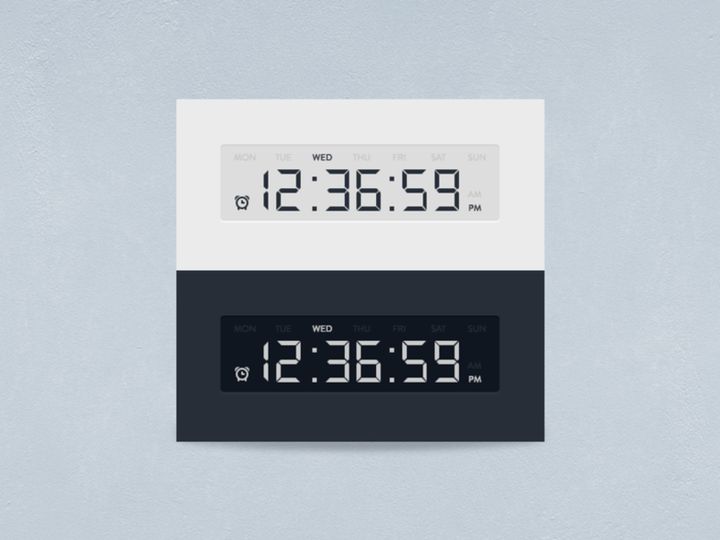
Our collection spans a wide range of complexity levels to accommodate designers of all experience levels. Simple assets include standalone elements like clocks, weather icons, or notification bubbles—perfect for quick enhancements or minor UI touches. These are typically lightweight files, easy to customize, and ideal for beginners or time-sensitive projects.
Complete widget kits, in contrast, offer comprehensive design systems with multiple variants, states (active, disabled, loading), and accompanying documentation. These kits often include themed packs—such as dark mode, high-contrast, or seasonal variations—and are built with scalability in mind. They’re favored by professional designers working on full-scale applications or design systems.
Intermediate options, like modular components or template-based widgets, strike a balance between flexibility and structure. Whether you need a single button or an entire dashboard suite, the 58+ resources on EpicPxls are categorized to help you find the right level of complexity. This tiered approach ensures that every designer, from novice to expert, can find tools that match their skill set and project scope.
Making the Most of Widgets
Organizing Your Library
To maximize efficiency, maintain a well-organized widget library. Create folders by project type, platform (iOS, Android, web), or function (navigation, data display, controls). Use consistent naming conventions—such as “Widget-Calendar-Dark-Figma”—to make assets easy to locate. Tools like Figma’s team libraries or Adobe Creative Cloud Libraries can help sync and share components across devices and collaborators. Regularly audit your collection to remove outdated or redundant widgets, keeping your workflow clutter-free.
Customization Tips
While widgets are designed for immediate use, thoughtful customization enhances their impact. Start by adjusting colors to match your brand palette—most vector-based files support global color styles for quick updates. Modify typography to align with your app’s hierarchy, ensuring readability at small sizes. For interactive widgets, consider adding micro-animations or hover states using tools like Figma’s smart animate or CSS transitions.
Always test widgets in context. Place them within actual screen layouts to evaluate spacing, alignment, and visual weight. If a widget feels too dominant or too subtle, tweak its size, contrast, or padding. Remember, even small adjustments can significantly improve usability and aesthetic cohesion.
Common Mistakes to Avoid
- Ignoring scalability: Using raster images (like low-res PNGs) on high-DPI screens leads to pixelation. Always opt for vector formats (SVG, Figma, AI) when possible.
- Overloading with features: Cluttered widgets with too much information reduce usability. Focus on one primary function per widget to maintain clarity.
- Mismatched design language: Combining neumorphic and flat design elements in the same interface creates visual inconsistency. Stick to a unified style system.
- Skipping accessibility checks: Ensure sufficient color contrast, legible font sizes, and screen reader compatibility, especially for informational widgets.
- Using commercial widgets without proper licensing: Even free downloads may restrict commercial use. Always verify the license on EpicPxls to avoid legal issues.
By avoiding these pitfalls and leveraging the full potential of the 58+ resources available, you can create polished, professional interfaces with greater speed and consistency. EpicPxls is dedicated to supporting your creative journey with reliable, trend-aware widgets that stand the test of time.
Why Download from EpicPxls?
Commercial License
Use in personal and commercial projects
No Account Required
Download free resources instantly
Quality Curated
Every resource is reviewed for quality
Preview Files
See Figma and Photoshop files before downloading
Who Uses These Widgets?
Professionals and teams who benefit most from our collection
UI/UX Designers
Speed up your workflow with ready-to-use widgets for design tools. Perfect for prototyping and client presentations.
Developers
Get production-ready assets without design skills. Export in any format for web and mobile apps.
Startups & Agencies
Save design budget with affordable premium widgets. Commercial license included.
Marketing Teams
Create professional campaigns faster. All widgets are optimized for social media and ads.
Widgets FAQCommon questions about these resources
Simple, Transparent Pricing
Get unlimited access to all premium resources
Yearly
- 20 downloads per month
- All file formats
- Commercial license
Lifetime
- Unlimited downloads forever
- All file formats
- Commercial license
Ready to Get Started?
Access 4,442+ free design resources today.
Browse Free ResourcesView Premium PlansEarn 85% and
more on all sales
Upload your products and put them up
for sale at whatever price you want.


