Themes for Figma: 34+ Resources
EpicPxls offers 35+ curated themes for Figma, all with a commercial license and editable source files (Figma, Sketch, PSD). We have 35+ themes compatible with Figma, tested and verified for seamless integration.
Last updated February 12, 2026
Discover 34+ handpicked themes for Figma.
Trusted by designers at leading companies
Top Themes for Figma
Handpicked resources from our curated collection

![HappyBox – Landing Page Template [Personal Use License] preview picture](https://imgproxy.epicpxls.com/f4DCUD9EmEuhPIVAUAWBhM-Cto4k3dv0gSKpujV1qeA/rs:fill:720:540:0/g:no/aHR0cHM6Ly9pdGVt/cy5lcGljcHhscy5j/b20vdXBsb2Fkcy9w/aG90by82MDM1YzU5/NGQ3M2Q4ODFkYWZj/NjU0ODk2ZGQ2YzEx/ZA.jpg)


Try Our Free Resources
Download any of these for free - no account required
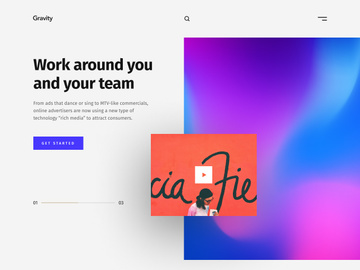
![HappyBox – Landing Page Template [Personal Use License]](https://items.epicpxls.com/uploads/photo/1c535d770288e193401c434fc0f770c4)
Why Figma for Themes?
Figma has rapidly become the go-to design tool for teams and individuals seeking a seamless, collaborative environment for UI/UX design, and its capabilities for managing themes are a standout feature. Unlike traditional design software, Figma operates in the browser, enabling real-time collaboration, instant updates, and centralized access to design systems — all of which are critical when working with themes. A theme in Figma is more than just a color palette or font selection; it’s a comprehensive design system that includes colors, typography, components, spacing, icons, and even interactive states, all unified under a consistent visual language.
One of Figma’s greatest strengths is its robust support for design tokens and style libraries. With shared styles for colors, text, and effects, designers can create reusable theme configurations that propagate across entire projects. This ensures visual consistency and drastically reduces the time spent manually adjusting elements. Variables in Figma further enhance theme management, allowing designers to define dynamic values for colors, spacing, and typography that can be toggled between light and dark modes or adapted for different brand expressions.
Another reason Figma excels in theme development is its plugin ecosystem. Designers can extend functionality with plugins that automate theme switching, generate color palettes, or export design tokens to code — streamlining the handoff to developers. The ability to publish and version design systems as team libraries means that themes can be shared, updated, and synchronized across multiple files effortlessly.
At EpicPxls, we recognize the importance of a cohesive and scalable theming workflow. That’s why we curate only the most practical, well-structured, and visually compelling theme resources compatible with Figma. Our selection of 34+ resources includes everything from minimalist light themes to rich, dark mode suites, all designed to integrate smoothly into your Figma environment. Whether you're building a brand-new application or refining an existing design system, Figma’s flexibility and our handpicked collection ensure you have the tools to create themes that are both beautiful and functional.
Top Themes Picks for Figma
With over 34+ resources available, selecting the right theme for your Figma project can be overwhelming. To simplify your decision, we’ve categorized our top picks based on skill level and budget. Each recommended theme delivers high usability, clean organization, and full compatibility with Figma’s design features. Whether you're just starting out or leading a design system overhaul, there’s something in this list for you.
Best for Beginners
If you're new to Figma or theming in general, simplicity and clarity are key. We recommend themes that come with detailed documentation, intuitive layer naming, and built-in examples. Look for resources like “Minimal UI Kit” or “Starter Design System,” which include guided tutorials and clearly labeled components. These themes often use straightforward color naming (e.g., Primary, Secondary, Error) and avoid overly complex component variants. Many beginner-friendly themes from our 34+ resources collection also include onboarding pages that demonstrate how to swap themes, adjust spacing, or customize typography — making it easy to learn by doing.
Best for Professionals
For experienced designers and design system managers, advanced themes with deep customization options are essential. The best professional-grade themes offer full design token integration, support for multiple breakpoints, and extensive component libraries with nested variants. Themes like “Enterprise Design Language” or “Multi-Brand Theme Suite” provide granular control over states, interactions, and responsive behavior. These resources often include JSON exports for developers and are structured to support scalable design systems across large organizations. EpicPxls highlights several such themes in our curated list, ensuring professionals can find powerful, production-ready solutions that save time and maintain brand integrity.
Best Free Options
High-quality doesn’t have to mean high cost. Among the 34+ resources we feature, several standout free themes deliver exceptional value without compromising on structure or aesthetics. Themes like “Open Design System” and “Neutral UI” offer complete dark and light mode support, accessible color palettes, and responsive components — all available at no cost. These free resources are often open-source or community-driven, making them ideal for startups, indie developers, or educational use. At EpicPxls, we prioritize free themes that are actively maintained and well-documented, ensuring they remain useful and up-to-date in fast-moving design environments.
Figma vs Other Tools for Themes
When it comes to managing themes, Figma stands apart from traditional design tools due to its cloud-native architecture and built-in collaboration features. Unlike desktop-based software where theme files must be manually shared and updated, Figma allows teams to publish theme libraries that sync automatically across projects. This real-time synchronization ensures that every team member is always working with the latest version of a theme, reducing inconsistencies and version conflicts.
Figma’s unique advantage lies in its deep integration of design and development workflows. Themes created in Figma can include inspectable code snippets, design tokens, and plugin-powered exports that streamline implementation. Other tools may support style guides, but few offer the same level of dynamic interactivity and cross-functional accessibility. Additionally, Figma’s component variants and property controls allow designers to build theme-switching interfaces directly within prototypes — a feature that’s rare in alternative platforms.
From a format perspective, Figma uses its own file structure (.fig), but it supports import and export in common formats like SVG, PNG, and PDF. While this means direct theme migration from other tools can be limited, Figma’s robust import capabilities allow designers to bring in assets and reconstruct themes efficiently. The ecosystem also benefits from a vast marketplace of community-contributed resources. EpicPxls leverages this ecosystem to identify and validate 34+ high-quality theme resources that are not only visually appealing but technically sound and easy to integrate.
Setting Up Themes in Figma
Implementing a new theme in Figma is a straightforward process when you follow best practices. Whether you're importing a single color palette or a full design system, these steps will help you set up themes efficiently and maintain organization as your project scales.
- Download and Import: Start by downloading your chosen theme file from a trusted source. In Figma, go to your drafts or team project and click “New File.” Then, drag and drop the .fig file into the workspace to import it.
- Inspect the Structure: Open the imported file and explore its page organization. Look for pages labeled “Styles,” “Components,” or “Documentation” to understand how colors, typography, and components are structured.
- Publish as a Library: If the theme is intended for team use, go to the file settings and enable “Make Library.” This allows others to access the theme’s styles and components from their own files.
- Apply Styles in Your Project: Open your main design file, then go to the Assets panel. Under “Libraries,” enable the newly imported theme. You can now apply its colors, text styles, and effects to any element.
- Use Components and Variants: Drag reusable components (like buttons or cards) from the library into your canvas. Use the property panel to switch between component variants (e.g., primary vs. secondary, dark vs. light).
- Customize and Extend: Adapt the theme to your brand by duplicating and modifying styles. Create new variants or adjust spacing and corner radius while maintaining alignment with the original system.
For teams managing multiple themes, consider creating a master “Theme Hub” file that imports and compares different theme libraries. This makes it easier to audit consistency and switch between brand expressions. EpicPxls recommends reviewing the documentation included with each of the 34+ resources to understand any special setup requirements or advanced features like mode toggling or responsive grids.
Figma Workflow Tips
Maximizing the potential of themes in Figma requires more than just importing a file — it demands thoughtful organization and efficient processes. The following tips will help you maintain clarity, improve productivity, and foster better collaboration across your team.
Organizing Themes Libraries
Keep your theme libraries clean and searchable by using consistent naming conventions. Prefix styles with categories like “Color/Primary,” “Text/H1,” or “Effect/Shadow-Medium.” Group related components on dedicated pages and use section headings in the layers panel. Consider color-coding pages or using icons to differentiate between theme versions (e.g., v1, Dark Mode, Mobile). If you're using multiple themes, disable unused libraries in the Assets panel to reduce clutter and improve performance.
Batch Operations
Figma enables powerful batch editing when working with themes. Use the “Find and Replace” feature to update all instances of an old color with a new one from your theme. Select multiple components and change their variant properties simultaneously using the property panel. Plugins like “Rename It” or “Batch Styler” can automate repetitive tasks like updating text styles or applying new effects across hundreds of elements. These tools are especially useful when migrating to a new theme or rolling out design system updates across large files.
Collaboration Best Practices
When working in teams, establish clear guidelines for theme usage. Designate a “source of truth” file for each theme and restrict editing rights to maintain consistency. Use comments and version history to document changes and communicate updates. Encourage team members to pull components from the library rather than creating local duplicates. Regularly review library analytics in Figma to see which components are most used and identify areas for improvement. EpicPxls emphasizes the importance of collaboration-friendly themes — that’s why our curated 34+ resources include only those with clear contributor guidelines, changelogs, and team-sharing readiness.
Why Download from EpicPxls?
Commercial License
Use in personal and commercial projects
No Account Required
Download free resources instantly
Quality Curated
Every resource is reviewed for quality
Preview Files
See Figma and Photoshop files before downloading
Who Uses These Themes?
Professionals and teams who benefit most from our collection
UI/UX Designers
Speed up your workflow with ready-to-use themes for Figma. Perfect for prototyping and client presentations.
Developers
Get production-ready assets without design skills. Export in any format for web and mobile apps.
Startups & Agencies
Save design budget with affordable premium themes. Commercial license included for client work.
Marketing Teams
Create professional campaigns faster. All themes are optimized for social media and ads.
Themes for Figma FAQCommon questions about these resources
Simple, Transparent Pricing
Get unlimited access to all premium resources
Yearly
- 20 downloads per month
- All file formats
- Commercial license
Lifetime
- Unlimited downloads forever
- All file formats
- Commercial license
Ready to Get Started?
Access 4,441+ free design resources today.
Browse Free ResourcesView Premium PlansEarn 85% and
more on all sales
Upload your products and put them up
for sale at whatever price you want.


