Icons for Logos: 206+ Resources
EpicPxls offers 101+ curated icons, all with a commercial license and editable source files (Figma, Sketch, PSD). Purpose-built icons for logo projects save time and ensure professional results with design elements tailored to logo requirements.
Last updated February 12, 2026
Discover 206+ icons ideal for logo design projects.
Trusted by designers at leading companies
Top Icons
Handpicked resources from our curated collection




Try Our Free Resources
Download any of these for free - no account required
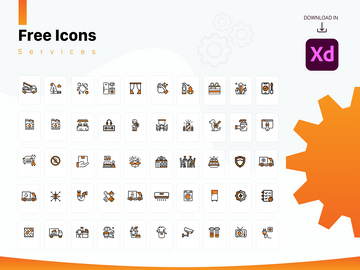
Why Icons for Logo Projects?
Icons play a pivotal role in modern logo design, serving as the visual cornerstone that communicates a brand’s essence at a glance. For designers, using pre-made icons can dramatically accelerate the creative process without sacrificing originality or quality. Instead of starting from scratch, professionals can leverage expertly crafted icons to focus more on customization, brand alignment, and strategic design decisions. This efficiency is particularly valuable in fast-paced design environments where meeting deadlines without compromising creativity is essential.
Logo design projects often require symbols that are timeless, scalable, and instantly recognizable. Whether it's a tech startup needing a sleek abstract icon or a wellness brand looking for a calming leaf motif, the right icon can encapsulate the brand’s mission in a single graphic. Pre-made icons offer a vast library of starting points—each one refined for clarity and impact—freeing designers to concentrate on tailoring the asset to their client’s unique identity.
At EpicPxls, we understand the demands of professional logo creation. That’s why we’ve curated a collection of 206+ resources specifically optimized for logo use. Each icon is selected based on its versatility, scalability, and design integrity, ensuring it can be seamlessly integrated into a wide range of branding contexts. From minimalist line art to bold geometric forms, our library is built to serve the diverse needs of logo designers across industries. By offering only logo-ready assets, EpicPxls empowers creatives to work smarter, delivering high-impact results without unnecessary revisions or time spent on foundational elements.
What Logo Designers Need
Essential Icons Types
Not all icons are created equal when it comes to logo design. The most effective ones fall into specific categories that align with common branding narratives. Abstract shapes, for instance, are frequently used to represent innovation and forward-thinking—ideal for tech companies and startups. Nature-inspired icons like trees, leaves, and animals resonate strongly with eco-conscious brands and wellness businesses. Geometric forms, including circles, triangles, and hexagons, offer balance and symmetry, making them popular in professional services and corporate branding.
Industry-specific symbols are also crucial. A medical logo might incorporate a cross or a caduceus, while a food brand could use utensils, fruits, or farm motifs. Letterform icons—stylized initials or monograms—are another powerful category, especially for personal brands or luxury labels. At EpicPxls, our 206+ resources span these essential types, ensuring designers can find the perfect symbolic foundation regardless of niche or sector.
Format Requirements
For logo design, file format is not just a technical detail—it’s a necessity for scalability and adaptability. Vector formats like SVG, EPS, and AI are the gold standard because they allow infinite scaling without quality loss. These formats are essential for logos that need to appear on everything from business cards to billboards. High-resolution PNGs with transparent backgrounds are also valuable, especially during the mockup and presentation phases.
When sourcing icons for logos, designers should prioritize formats that support easy editing in Adobe Illustrator, CorelDRAW, or other vector-based software. This ensures precise customization of stroke weight, color, and proportions. All icons in the EpicPxls library are delivered in multiple compatible formats, making them immediately usable in any professional design workflow.
Quality Standards
Logo-ready icons must meet rigorous quality benchmarks. Clean lines, balanced proportions, and thoughtful negative space are non-negotiable. Icons should be free of pixelation, inconsistent strokes, or visual clutter that could undermine a brand’s professionalism. Attention to detail—such as uniform corner radii or symmetrical alignment—can elevate a simple icon into a powerful brand symbol.
Additionally, icons should be designed with versatility in mind. They must work effectively in monochrome, at small sizes, and across various backgrounds. At EpicPxls, every icon undergoes a strict quality review to ensure it meets these standards. Our 206+ resources are not just numerous—they are meticulously vetted to support high-end logo projects that demand precision and polish.
Logo Design Project Walkthrough
- Define the Brand Identity: Before selecting any icon, understand the client’s mission, audience, and core values. Is the brand modern or traditional? Playful or serious? This clarity guides the type of icon that will resonate most effectively.
- Browse Curated Icon Libraries: Visit platforms like EpicPxls to explore the 206+ resources available. Use filters to narrow down by category, style, or format. Look for icons that align with the brand’s personality—whether it’s a sleek abstract form or a hand-drawn organic shape.
- Select and Download: Choose one or more icons that serve as strong starting points. Download them in vector format (SVG or EPS) to ensure maximum flexibility. Ensure the license permits commercial use and modification, which all EpicPxls icons do.
- Customize in Design Software: Import the icon into your preferred vector editor. Adjust colors, strokes, and proportions to match the brand’s palette and aesthetic. Consider simplifying complex details or combining elements from multiple icons to create a unique hybrid symbol.
- Test Scalability and Legibility: Export the design at various sizes—from favicon scale (16x16px) to large print formats. Verify that the icon remains clear and impactful. Refine details as needed to ensure consistency across applications.
- Integrate with Typography and Finalize: Pair the icon with a complementary typeface. Experiment with layouts: icon above text, to the left, or integrated into the lettering. Once the composition feels balanced, create mockups (on business cards, websites, apparel) to showcase real-world application before client presentation.
This structured approach ensures that even when using pre-made icons, the final logo feels original, intentional, and professionally crafted. By starting with high-quality assets, designers reduce trial and error, focusing instead on refinement and strategic branding decisions.
Logo Design Workflow Tips
Speed Up Your Process
One of the greatest advantages of using pre-made icons is the time saved in the early design phase. Instead of sketching dozens of concepts by hand or building shapes from scratch in Illustrator, designers can instantly access proven visual forms. This allows for rapid iteration—testing multiple directions in a fraction of the time. With 206+ resources at your fingertips on EpicPxls, inspiration is never far away. Use icons as mood board elements or combine them digitally to explore unexpected compositions quickly. The goal is to move efficiently from concept to prototype, giving you more time to refine and present.
Maintain Consistency
When combining multiple icons or modifying existing ones, maintaining a cohesive visual language is critical. Stick to a unified stroke weight, corner style, and level of detail across all elements. For example, if your logo uses rounded corners and thin strokes, ensure every integrated icon follows the same rules. This consistency reinforces professionalism and strengthens brand recognition. EpicPxls icons are designed with stylistic harmony in mind, making it easier to mix and match assets without visual dissonance. Whether you're merging a mountain icon with a sun motif or layering geometric patterns, consistent styling ensures the final mark feels intentional and unified.
Client Presentation
How you present a logo is just as important as the design itself. Use high-quality mockups to show your logo in real-world contexts—on websites, packaging, signage, and digital apps. This helps clients visualize the brand’s potential and builds confidence in your work. When explaining your design choices, highlight how the selected icon reflects the brand’s values and how your customization enhances its uniqueness. Emphasize the technical quality—vector scalability, color versatility, and professional craftsmanship—as proof of your attention to detail. By pairing strong visuals with clear rationale, you position your logo as a strategic asset, not just a graphic.
Logo Design Inspiration
Today’s logo design landscape is shaped by minimalism, adaptability, and storytelling. Current trends favor clean, timeless marks over overly complex illustrations. Monograms, negative space tricks (like the famous FedEx arrow), and responsive logos that adapt across platforms are increasingly popular. Designers are also embracing dynamic color systems and motion, especially for digital-first brands. These trends reflect a broader shift toward flexibility—logos must now perform across apps, social media, and augmented reality, not just print collateral.
Top designers approach logo projects as strategic exercises, not just aesthetic ones. They begin with deep research, aligning every curve and color with brand psychology. Simplicity is prized, but not at the expense of meaning. A well-chosen icon becomes a silent ambassador—conveying trust, innovation, or warmth without a word. Many professionals start with curated libraries to spark ideas, then refine those concepts into original works. This hybrid approach balances efficiency with authenticity.
To elevate your logo work, invest in high-caliber resources that support both creativity and technical demands. Platforms like EpicPxls offer 206+ resources designed with professional workflows in mind—each icon a potential cornerstone for a standout brand identity. Combine these assets with thoughtful customization, and you’ll create logos that are not only beautiful but enduring. Whether you're building a personal portfolio or serving high-profile clients, the right icons can transform your process and your results.
Why Download from EpicPxls?
Commercial License
Use in personal and commercial projects
No Account Required
Download free resources instantly
Quality Curated
Every resource is reviewed for quality
Preview Files
See Figma and Photoshop files before downloading
Who Uses These Icons?
Professionals and teams who benefit most from our collection
UI/UX Designers
Speed up your workflow with ready-to-use icons for design tools. Perfect for prototyping and client presentations.
Developers
Get production-ready assets without design skills. Export in any format for web and mobile apps.
Startups & Agencies
Save design budget with affordable premium icons. Commercial license included.
Marketing Teams
Create professional campaigns faster. All icons are optimized for social media and ads.
Icons FAQCommon questions about these resources
Simple, Transparent Pricing
Get unlimited access to all premium resources
Yearly
- 20 downloads per month
- All file formats
- Commercial license
Lifetime
- Unlimited downloads forever
- All file formats
- Commercial license
Ready to Get Started?
Access 4,442+ free design resources today.
Browse Free ResourcesView Premium PlansEarn 85% and
more on all sales
Upload your products and put them up
for sale at whatever price you want.


