Mockups for Logos: 106+ Resources
EpicPxls offers 107+ curated mockups, all with a commercial license and editable source files (Figma, Sketch, PSD). Purpose-built mockups for logo projects save time and ensure professional results with design elements tailored to logo requirements.
Last updated February 12, 2026
Discover 106+ mockups ideal for logo design projects.
Trusted by designers at leading companies
Top Mockups
Handpicked resources from our curated collection
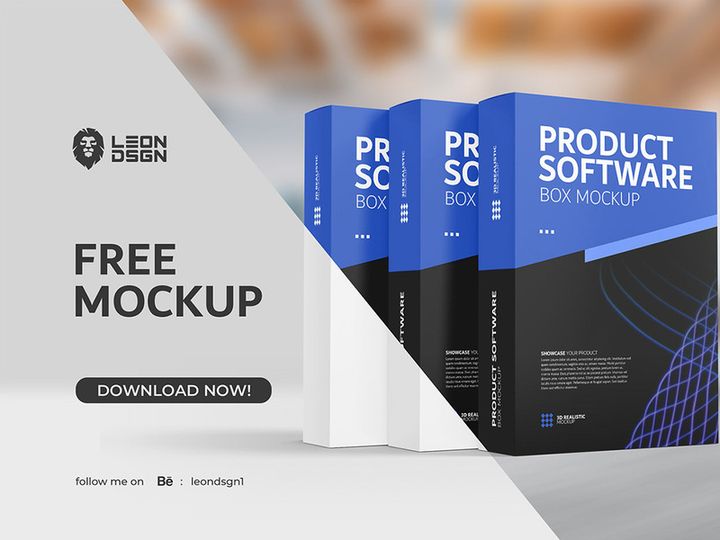
![[FREE] Mockup Sticker preview picture](https://imgproxy.epicpxls.com/dcLt4fkjZ_E5oBbsisXijbJ79nOv7aegmTQw2BSlwuM/rs:fill:720:540:0/g:no/aHR0cHM6Ly9pdGVt/cy5lcGljcHhscy5j/b20vdXBsb2Fkcy9w/aG90by9kYWEwYWVj/NTlkOWE2OTk5MjI2/NjBjZDUwYTkxMGQ1/Yw.jpg)











Try Our Free Resources
Download any of these for free - no account required
![[FREE] Mockup Sticker](https://items.epicpxls.com/uploads/photo/d797a09d14de66bb04cbc00edb277c97)
Why Mockups for Logo Projects?
Mockups play a vital role in modern logo design, transforming abstract concepts into tangible, real-world applications. For designers, presenting a logo in isolation on a blank canvas no longer meets client expectations. Stakeholders want to see how a logo performs across different mediums—on business cards, storefront signage, apparel, digital interfaces, and more. This is where pre-made mockups become indispensable. They allow designers to visualize and showcase logos in realistic contexts, accelerating the design process and enhancing client communication.
Using mockups streamlines the workflow by eliminating the need to create every presentation scenario from scratch. Instead of spending hours setting up scenes, lighting, shadows, and textures, designers can simply insert their logo into a professionally crafted mockup. This not only saves time but also ensures a high level of polish and realism. Whether it’s a sleek office stationery set or a rugged outdoor banner, mockups provide a consistent and professional way to demonstrate versatility.
Common logo design requirements often include multiple usage scenarios, scalability tests, and brand integration examples. Clients expect to see their logo in action, not just as a vector file. This is where curated resources become essential. At EpicPxls, we understand these demands. That’s why we’ve assembled over 106+ logo-ready mockup resources—carefully selected for quality, realism, and usability. Each mockup is designed to integrate seamlessly into a designer’s workflow, offering smart object layers, high resolution, and realistic textures. From minimalist digital displays to textured print applications, EpicPxls ensures you have the right tools to bring any logo concept to life with confidence and efficiency.
What Logo Designers Need
Essential Mockups Types
Logo designers rely on a diverse range of mockup types to fully communicate a brand’s potential. Among the most commonly used are stationery mockups—featuring business cards, letterheads, and envelopes—which help convey professionalism and brand coherence. Apparel mockups, including t-shirts, hats, and tote bags, are essential for lifestyle and fashion brands, allowing logos to be seen in casual, wearable contexts.
Digital device mockups, such as smartphones, tablets, and laptops, are crucial for tech companies and online services, showcasing how a logo appears in app icons or website headers. Signage and storefront mockups give clients a sense of physical brand presence, ideal for restaurants, retail shops, and service providers. Product packaging mockups, from bottles to boxes, are perfect for food, beverage, and consumer goods industries. Additionally, office and environmental mockups—like desks, notebooks, and reception areas—add depth by placing the logo in everyday workspaces.
Format Requirements
For smooth integration into design workflows, mockups must be delivered in compatible, editable formats. The PSD (Photoshop Document) format remains the gold standard, especially when mockups include smart objects that allow logo insertion with automatic perspective, shadow, and texture mapping. This ensures designers can update the logo in seconds without redrawing effects.
Other useful formats include AI (Adobe Illustrator) for vector-based mockups and Figma or Sketch files for UI-focused presentations. High-resolution PNG files with transparent backgrounds are also valuable for quick placements in presentations or digital portfolios. At EpicPxls, all 106+ resources are provided in industry-standard formats, ensuring compatibility across platforms and easy adaptation to any design pipeline.
Quality Standards
Not all mockups are created equal. The best logo-ready mockups exhibit sharp resolution (minimum 300 DPI for print, 72+ DPI for digital), realistic lighting, accurate shadows, and texture detail that mimics real-world materials. Poorly rendered shadows or flat perspectives can undermine the credibility of a design presentation.
Look for mockups with organized layer structures, named groups, and clear instructions. Smart object functionality is non-negotiable for efficient editing. High-quality mockups should also offer multiple angles or scene variations, enabling designers to present a brand from different perspectives. At EpicPxls, every mockup undergoes a rigorous quality check to ensure it meets professional standards—delivering crisp, realistic, and ready-to-use assets that elevate your logo design projects.
Logo Design Project Walkthrough
- Define the Brand and Client Needs: Begin by understanding the client’s industry, target audience, and brand values. This foundational step informs the style, tone, and application of the logo. Knowing whether the brand leans toward minimalism, retro, or bold modern aesthetics helps narrow down the types of mockups that will be most effective.
- Select Appropriate Mockup Resources: From the 106+ resources available at EpicPxls, choose mockups that align with the client’s brand context. For a café, select coffee cup mockups, menu boards, and apron designs. For a tech startup, focus on digital devices, office spaces, and app interfaces. Prioritize variety to showcase adaptability.
- Design the Logo in Vector Format: Create the logo using vector software like Adobe Illustrator to ensure scalability. Stick to brand colors, typography, and simplicity. Export the final logo in multiple formats—AI, EPS, SVG, and high-res PNG—for seamless integration into mockups.
- Insert the Logo into Smart Objects: Open your chosen PSD mockup files and locate the smart object layer. Double-click to enter the smart object, paste your logo, resize as needed, and save. The mockup automatically applies lighting, shadows, and perspective, giving your logo a realistic appearance in context.
- Combine Multiple Mockups for a Cohesive Presentation: Use a mix of close-up, lifestyle, and environmental mockups to show breadth. For instance, pair a business card mockup with a storefront sign and a smartphone app screen. This demonstrates how the logo functions across touchpoints. Arrange these in a well-designed presentation board using tools like Photoshop or InDesign.
- Review, Revise, and Deliver: Share the mockup presentation with the client for feedback. Make quick adjustments by updating the smart object across all mockups. Once approved, deliver the final logo files along with a selection of mockup visuals to illustrate real-world applications—enhancing the perceived value of your work.
Logo Design Workflow Tips
Speed Up Your Process
Time is a designer’s most valuable resource, and pre-made mockups are one of the most effective ways to save it. Instead of building scenes from scratch—adjusting angles, applying textures, and manually creating shadows—you can leverage professionally designed mockups that do the heavy lifting. With smart objects, inserting your logo takes seconds, not minutes. This allows you to focus on refining the logo itself rather than presentation mechanics. By using high-quality, ready-to-use assets from EpicPxls, you can cut presentation time by up to 70%, delivering faster turnarounds without sacrificing quality.
Maintain Consistency
Consistency is key to professional branding. When using multiple mockups, ensure they share a similar aesthetic—lighting, color tone, and perspective—so the presentation feels cohesive. For example, if you’re using mockups for a luxury brand, stick to clean, minimalist scenes with soft lighting. Mixing gritty urban textures with sleek studio shots can confuse the brand message. Organize your mockups by theme or environment, and use a consistent layout in your final presentation board. This creates a unified narrative that strengthens client confidence in the design.
Client Presentation
How you present your logo can be just as important as the design itself. Clients often struggle to visualize abstract vector art in real-world use. High-quality mockups bridge that gap, transforming flat logos into living brand elements. Use a curated selection of 4–6 mockups that highlight the most relevant applications—such as packaging, digital platforms, and physical signage. Include a brief description for each to explain context and value. Deliver the final package as a PDF or interactive presentation, combining mockups with logo variations and color palettes. This professional approach not only impresses clients but also reduces revision cycles by setting clear expectations early.
Logo Design Inspiration
Staying inspired is crucial in logo design, where trends evolve rapidly and originality is paramount. Currently, minimalist designs with bold typography and negative space are dominating the industry. Brands favor clean, scalable logos that work across digital and physical platforms. Monochrome and single-color logos are rising in popularity, especially for their versatility and print efficiency. Another trend is the use of animated logos for digital-first brands, though static mockups remain essential for initial presentations and print applications.
Top designers approach logo projects with a strategic mindset—starting with deep research into the brand’s mission, audience, and competitors. They create logos that are not only visually appealing but also timeless and functional. Inspiration often comes from unexpected places: architecture, nature, typography history, or cultural symbols. Many professionals maintain a personal library of favorite mockups and design references to spark ideas and ensure consistency across projects.
To elevate your own work, explore curated collections like the 106+ resources at EpicPxls. These mockups are designed by industry professionals and updated regularly to reflect current aesthetics and technical standards. Whether you're designing for a startup, a legacy brand, or a personal project, having access to high-quality, realistic mockups empowers you to present with confidence and creativity. Let your logo not just be seen—but experienced. With the right tools and inspiration, your designs can stand out in a crowded marketplace and leave a lasting impression.
Why Download from EpicPxls?
Commercial License
Use in personal and commercial projects
No Account Required
Download free resources instantly
Quality Curated
Every resource is reviewed for quality
Preview Files
See Figma and Photoshop files before downloading
Who Uses These Mockups?
Professionals and teams who benefit most from our collection
UI/UX Designers
Speed up your workflow with ready-to-use mockups for design tools. Perfect for prototyping and client presentations.
Developers
Get production-ready assets without design skills. Export in any format for web and mobile apps.
Startups & Agencies
Save design budget with affordable premium mockups. Commercial license included for client work.
Marketing Teams
Create professional campaigns faster. All mockups are optimized for social media and ads.
Mockups FAQCommon questions about these resources
Simple, Transparent Pricing
Get unlimited access to all premium resources
Yearly
- 20 downloads per month
- All file formats
- Commercial license
Lifetime
- Unlimited downloads forever
- All file formats
- Commercial license
Ready to Get Started?
Access 4,441+ free design resources today.
Browse Free ResourcesView Premium PlansEarn 85% and
more on all sales
Upload your products and put them up
for sale at whatever price you want.


