Icons for Socials: 72+ Resources
EpicPxls offers 56+ curated icons, all with a commercial license and editable source files (Figma, Sketch, PSD). Purpose-built icons for social projects save time and ensure professional results with design elements tailored to social requirements.
Last updated February 13, 2026
Discover 72+ icons ideal for social design projects.
Trusted by designers at leading companies
Top Icons
Handpicked resources from our curated collection



![90 Free Social Media Icons [PSD] preview picture](https://imgproxy.epicpxls.com/zy2rDBAnWCT_f0g3p27ZrkGNeNJ1TGLCC3-wCXtDt5s/rs:fill:720:540:0/g:no/aHR0cHM6Ly9pdGVt/cy5lcGljcHhscy5j/b20vdXBsb2Fkcy9w/aG90by9hNjg2Yzlj/ZTdhY2Q3ZTgxMzJm/YzhkYTgxODUzZTBj/My5qcGc.jpg)



![Multimedia Icons set [AI] preview picture](https://imgproxy.epicpxls.com/va832BcEyyDuKGlnr4FtYeqR-rTWjSudHjz5RfMgZ0I/rs:fill:720:540:0/g:no/aHR0cHM6Ly9pdGVt/cy5lcGljcHhscy5j/b20vdXBsb2Fkcy9w/aG90by84MTY2ZDA1/NzlhMzVmY2E0ZDRm/M2IzYzQwZjJjNzRl/NC5qcGc.jpg)
![Media icons [Sketch] preview picture](https://imgproxy.epicpxls.com/wuEPU73tFOxpXnkEqUrq2ybtX9C50cXch9NRKNFeKIc/rs:fill:720:540:0/g:no/aHR0cHM6Ly9pdGVt/cy5lcGljcHhscy5j/b20vdXBsb2Fkcy9w/aG90by85YzY0ZWVh/YTFiZDE2ZjIyMjlh/MWNjNWFkMzg1NTY0/MS5wbmc.jpg)
Try Our Free Resources
Download any of these for free - no account required
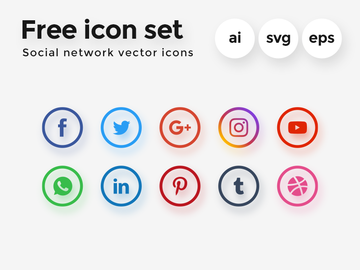
Why Icons for Social Projects?
Icons play a pivotal role in social design projects, where clarity, speed, and visual appeal are essential. In the fast-paced world of digital content creation, designers need tools that allow them to communicate ideas instantly and effectively. Pre-made icons offer exactly that—ready-to-use visual elements that streamline the design process and elevate the user experience across social media platforms. Whether you're crafting a campaign for Instagram, designing branded content for Facebook, or preparing assets for TikTok, using icons helps maintain a consistent visual language while saving valuable time.
Social design often demands quick turnaround times, responsive layouts, and platform-specific optimizations. Designers are expected to create content that's not only eye-catching but also instantly understandable. This is where social-ready icons shine. They simplify complex actions—like sharing, liking, or messaging—into universally recognized symbols, reducing cognitive load for viewers. With icons, messages become more digestible, engagement increases, and branding feels more professional.
At EpicPxls, we understand the unique demands of social media workflows. That’s why we’ve curated a collection of over 56+ resources specifically tailored for social design use cases. Each icon set is selected based on relevance, quality, and adaptability across various platforms. From minimalist line icons to vibrant emoji-style graphics, our resources empower designers to create compelling content without starting from scratch. By offering purpose-built icons that align with current design trends and platform requirements, EpicPxls ensures that your social projects are not only efficient to produce but also visually cohesive and on-brand.
What Social Designers Need
Essential Icons Types
Social design projects rely on a core set of icon types that reflect common user interactions and platform functionalities. These include action-based icons such as like, share, comment, and send, which are fundamental for illustrating engagement. Navigation icons like home, search, profile, and menu are equally important when designing app-based social content or stories with interactive elements.
Content-type icons—such as camera, video, poll, and story—help communicate features within campaigns or UI mockups. Emotion-based icons like heart, laugh, celebrate, and support are increasingly used to reflect reaction options and emotional engagement. Additionally, branding icons for major platforms (e.g., Instagram, TikTok, X, LinkedIn) are vital when referencing specific networks within a design.
EpicPxls’ 56+ resources include comprehensive sets covering all these categories, ensuring you’re equipped for any social media context.
Format Requirements
The right file format can make or break a social design workflow. SVG is ideal for scalability, especially when designing for responsive layouts or high-resolution displays. It maintains crisp edges at any size and integrates seamlessly into web-based social assets. PNG files with transparent backgrounds are perfect for overlaying icons on dynamic content like photos or gradients, commonly used in stories and ads. For animation or interactive designs, GIF and APNG formats bring icons to life, adding motion to calls-to-action or loading indicators.
Many social designers also appreciate PDF and AI formats for vector editing in professional design software. Ensuring compatibility across tools like Figma, Adobe Illustrator, and Canva is crucial. The 56+ resources available through EpicPxls support multiple formats, giving designers the flexibility to adapt icons to any stage of production.
Quality Standards
Not all icons are created equal. Social-ready icons should meet high standards in design consistency, technical precision, and aesthetic relevance. Look for uniform stroke widths, balanced visual weight, and cohesive style—whether minimalist, flat, or outlined. Each icon within a set should align in perspective, proportions, and spacing to avoid a disjointed look.
Attention to detail matters: sharp corners, clean curves, and proper alignment ensure icons render well even at small sizes. Metadata such as proper labeling and organized layers also enhances usability, especially when working in collaborative environments. At EpicPxls, every icon resource undergoes a rigorous curation process to ensure it meets these standards. This commitment to quality means designers can trust that the 56+ resources they access are not only visually appealing but also production-ready for real-world social media campaigns.
Social Design Project Walkthrough
- Define Your Project Goals: Begin by clarifying the purpose of your social design—whether it's increasing engagement, promoting a product, or guiding users through a story. Knowing your objective helps determine which icons will be most effective. For example, a campaign focused on user interaction may prioritize reaction icons, while a brand awareness post might use platform-specific logos.
- Select Relevant Icon Resources: Browse through curated collections like those offered by EpicPxls to find icon sets that match your brand’s tone and project needs. With over 56+ resources available, you can filter by style (e.g., line, filled, gradient), format, and use case. Choose sets that offer the essential icon types discussed earlier, ensuring coverage across all required functions.
- Customize for Brand Alignment: Once downloaded, adjust colors, sizes, and occasionally shapes to align with your brand palette and visual identity. Use design tools to recolor SVG files or apply effects like drop shadows and glows. Maintaining brand consistency enhances recognition and trust across social platforms.
- Integrate Into Layouts: Place icons strategically within your design—above text to emphasize actions, beside CTAs to drive clicks, or as part of illustrations to add context. Use grid alignment and spacing tools to keep your layout clean and balanced. Consider how icons interact with typography, imagery, and negative space to create a harmonious composition.
- Combine Multiple Icons Effectively: Avoid clutter by grouping related icons together. For instance, a social engagement bar might include like, comment, and share icons arranged horizontally with equal spacing. Use visual hierarchy—larger icons for primary actions, smaller ones for secondary functions. When mixing icon styles, ensure they share a common trait (e.g., corner radius or stroke weight) to maintain cohesion.
- Export and Optimize for Platforms: Finalize your design by exporting assets in the appropriate formats for each platform. Use PNG for static posts with transparency, SVG for web stories or email newsletters, and GIF for animated content. Test how icons appear on different devices and screen sizes to ensure clarity and impact. With the 56+ resources from EpicPxls, you’ll have the tools to adapt quickly and deliver polished results every time.
Social Design Workflow Tips
Speed Up Your Process
Time is one of the most valuable assets in social media design. Using pre-made, high-quality icons can significantly reduce the time spent on illustration and asset creation. Instead of drawing icons from scratch or hunting for free, low-quality vectors, leverage curated resources that are ready to drop into your designs. With EpicPxls’ 56+ resources, you gain immediate access to professionally designed icons that integrate smoothly into any workflow. Create templates with commonly used icon sets so you can reuse them across campaigns, further accelerating production without sacrificing quality.
Maintain Consistency
Consistency builds brand recognition. When using icons across multiple posts, stories, or campaigns, ensure they follow the same visual language. Stick to one icon style—such as rounded line icons or filled geometric shapes—throughout your content. If you need to combine icons from different sets, standardize their color, size, and stroke weight using your design software. Grouping icons by function and saving them as symbols or components in tools like Figma or Sketch allows for quick updates and uniform application. The curated nature of EpicPxls’ resources makes it easier to find cohesive sets that naturally fit together, reducing the need for heavy customization.
Client Presentation
Presenting your social designs professionally can make a lasting impression on clients. When showcasing icon usage, explain how each symbol supports the overall message and user experience. Use mockups to demonstrate how icons appear in real-world contexts—on mobile feeds, in stories, or embedded in ads. Provide a style guide excerpt showing icon color variants, sizing rules, and usage dos and don’ts. This level of detail underscores your expertise and ensures clients understand the thought behind your design choices. With the diverse and polished 56+ resources from EpicPxls, you can confidently deliver high-caliber work that reflects both creativity and strategic intent.
Social Design Inspiration
Today’s social design landscape is shaped by minimalism, motion, and emotional resonance. Leading designers are moving toward cleaner layouts with bold typography and purposeful iconography. Micro-interactions—such as animated hearts or pulsing “new” badges—are becoming standard, enhancing engagement without overwhelming the viewer. Designers are also embracing inclusive visuals, using diverse skin tones in emoji-style icons and gender-neutral symbols to reflect broader audiences.
Another trend is the integration of icons into custom illustrations and mascots, turning standard UI elements into branded assets. For example, a “like” icon might be reimagined as a unique character or logo-shaped heart, reinforcing brand identity. Top creators often use icon sets as the foundation for broader design systems, ensuring every piece of content feels connected and intentional.
To stay inspired and elevate your work, explore curated collections that reflect these evolving trends. Platforms like EpicPxls not only provide access to 56+ resources but also highlight emerging styles and innovative uses of iconography in real-world social campaigns. Whether you’re designing for a startup, a global brand, or personal projects, these resources offer a springboard for creativity. By combining current trends with timeless design principles, you can craft social content that’s not only visually engaging but also strategically effective. With the right icons at your fingertips, the possibilities for impactful social design are endless.
Why Download from EpicPxls?
Commercial License
Use in personal and commercial projects
No Account Required
Download free resources instantly
Quality Curated
Every resource is reviewed for quality
Preview Files
See Figma and Photoshop files before downloading
Who Uses These Icons?
Professionals and teams who benefit most from our collection
UI/UX Designers
Speed up your workflow with ready-to-use icons for design tools. Perfect for prototyping and client presentations.
Developers
Get production-ready assets without design skills. Export in any format for web and mobile apps.
Startups & Agencies
Save design budget with affordable premium icons. Commercial license included for client work.
Marketing Teams
Create professional campaigns faster. All icons are optimized for social media and ads.
Icons FAQCommon questions about these resources
Simple, Transparent Pricing
Get unlimited access to all premium resources
Yearly
- 20 downloads per month
- All file formats
- Commercial license
Lifetime
- Unlimited downloads forever
- All file formats
- Commercial license
Ready to Get Started?
Access 4,441+ free design resources today.
Browse Free ResourcesView Premium PlansEarn 85% and
more on all sales
Upload your products and put them up
for sale at whatever price you want.


