UI Kits

Search 64 ui kits to use for theme development, page design, social media and landing pages. Any website can use the UI elements, wireframe kits and templates that also have bootstrap integration for a faster development.

64 resources

Ask AI about these: ChatGPT · Claude · Claude Code / Codex

Featured
Recent
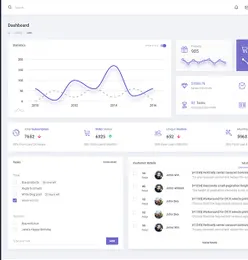
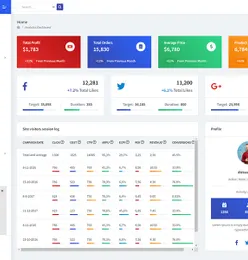
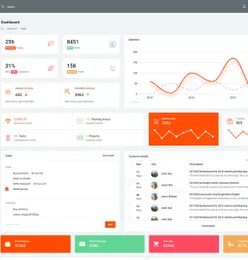
4 Dashboard UI KITCode-ready · BootstrapNothing Web UI Kit – Templates For Website use multi-purpose is a collection of 400+ blocks made with care for website guidelines and divided into ...by Rony204320
visibility 893 download 1
4 Dashboard UI KIT
Digital Agency - Landing ConceptThis Is a concept of a digital business landing web template. It changes your web template in a second because it uses a lot of modern materials. S...by Rony204320
visibility 582 download 1
Digital Agency - Landing Concept
Chatting APP UIUI design for Mobile application chatting by Marwansamiir
visibility 870 download 0
Chatting APP UI
Shopify Landing Page UIThis is a customizable UI template. Designed by Isfat Sharik. You will find Well layered project file here. by Isfatsharik
visibility 808 download 1
Shopify Landing Page UI
Figma Cards UI Kit DesignThis Figma Cards UI Kit Design is available in a flat and sleek design. It is also easily customizable with various options. Additionally, it is 10...by Istie Iftear
Freevisibility 1.78K download 48
Figma Cards UI Kit Design
Boka 1.0 Design SystemVishal Bhojane (https://www.behance.net/imvishal/) started working on building a design system that will help to Standardize all UI elements, help ...by Vishal Bhojane
Freevisibility 1.47K download 28
Boka 1.0 Design System
Rarver - Agency Template UI KITRarver - Agency Template is well agency. The PSD files are fully layered and customization and all elements are in groups And can easily identify t...by Rony204320
visibility 1.01K download 0
Rarver - Agency Template UI KIT
Medicine Doctor Flat App Design Figma Source FileMedicine Doctor Flat App Design Fully Editable, Source Figma File, PDF, SVG, Jpeg File Online LIve Preview This medical app for doctors can be a ...by Mubshirbabo
visibility 1.17K download 1
Medicine Doctor Flat App Design Figma Source File
Hello Summer Elegant, clean, and minimal UI/UX design for "Hello Summer App". It includes 2 easily editable screens in Adobe XD. Hope you will like the efforts...by Attiqanaz603
visibility 1.31K download 0
Hello Summer
Web Pricing TableWeb Pricing Table 100% Vector Shapes Well Organized Layers Free Font used Ai & EPS , PDF, PNG, SVG, JPG Free fonts used not included by SB Trading
visibility 961 download 1
Web Pricing Table
Facebook Redesign AttemptHey Creative minds, As we all know that Facebook is a big social media platform used worldwide. I tried to make a new Minimal UI for Facebook. Do l...by Attiqanaz603
visibility 1.38K download 2
Facebook Redesign Attempt
Coffee Ordering AppHello everyone, Here is my new design I recently worked on. A Coffee Ordering App in a minimal style. I tried to give it a fresh look and feel. I t...by Attiqanaz603
visibility 1.75K download 1
Coffee Ordering App
Appartment4u App DesignHi there! This is appartment app design..feel free to give ur feedbacks..ypu can checkout my profile for more designs...thanks by SHAH RUKH KHAN
visibility 783 download 1
Appartment4u App Design
School Finder OnboardingSchool Finder Onboarding screens with visuals. by Marwansamiir
visibility 1.12K download 0
School Finder Onboarding
Helium - Fashion Shop UI Kit for FigmaHelium UI Kit includes 25+ app screens with trendy useful components that you can use for inspiration and speed up your design workflow. This UI Ki...by Freeslab88
visibility 2.07K download 0
Helium - Fashion Shop UI Kit for Figma
Helium - Fashion Shop UI Kit for Adobe XDHelium UI Kit includes 25+ app screens with trendy useful components that you can use for inspiration and speed up your design workflow. This UI Ki...by Freeslab88
visibility 1.17K download 0
Helium - Fashion Shop UI Kit for Adobe XD
Helium - Fashion Shop UI Kit for SketchHelium UI Kit includes 25+ app screens with trendy useful components that you can use for inspiration and speed up your design workflow. This UI Ki...by Freeslab88
visibility 1.01K download 1
Helium - Fashion Shop UI Kit for Sketch
Netflix app | UI REDESIGN | FreebieNetflix mobile application UI/UX redesign Free Download on https://www.behance.net/gallery/97017777/Netflix-app-UI-REDESIGN by Navadheer Nuli
Freevisibility 3.81K download 86
Netflix app | UI REDESIGN  | Freebie
LoudMusic (Podcast) iOS/Web UI Kit (Figma/Adobe XD)Hi there, This is LoudMusic UI kit for IOS/Dashboard with the best interface designs. This is specially for Music and Podcast designs. Color is a s...by Zulqurnainb97a
visibility 3.2K download 10
LoudMusic (Podcast) iOS/Web UI Kit (Figma/Adobe XD)
Order Food Onboarding App ScreensBusiness Service Onboarding App Screens. Set of onboarding screens user interface kit for instagram stories, mobile app templates concept. Modern U...by NanoAgency
visibility 1.7K download 1
Order Food Onboarding App Screens
Don't want to see ads? Subscribe

Frequently Asked Questions

What is a UI kit and how do I use one?

A UI kit is a collection of pre-designed interface components -- buttons, forms, cards, navigation bars, and more -- that you can assemble to build app or website designs quickly. Download the kit, open it in your preferred design tool (Figma, Sketch, or Adobe XD), and drag components onto your canvas.

Which design tools are compatible with EpicPxls UI kits?

Most UI kits on EpicPxls include files for Figma, Sketch, and Adobe XD. Some also include HTML/CSS versions or Framer components. Check each product's details for specific format compatibility.

What is the difference between a UI kit and a design system?

A UI kit provides ready-made interface components. A design system goes further with documented guidelines, spacing rules, color tokens, and component variants. Many premium UI kits on EpicPxls include design system elements.

Can I customize the UI kit components for my brand?

Yes. All UI kits are fully editable in their respective design tools. Change colors, typography, spacing, and content to match your brand. Most kits use organized layers and components for easy customization.

How do I install a Figma UI kit?

Download the .fig file from EpicPxls, then open Figma and use File > Import to add it to your workspace. The components will be available in your local components library.