Templates for PDF: 1005+ Resources
EpicPxls offers 200+ curated templates for PDF, all with a commercial license and editable source files (Figma, Sketch, PSD). We have 200+ templates compatible with PDF, tested and verified for seamless integration.
Last updated February 12, 2026
Discover 1005+ handpicked templates for PDF.
Trusted by designers at leading companies
Top Templates for PDF
Handpicked resources from our curated collection

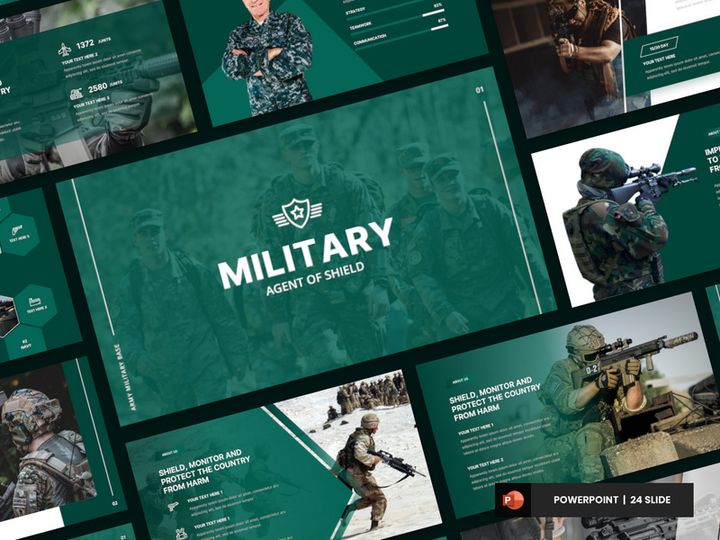

![[Free Sample] Massive Animated Powerpoint Bundle preview picture](https://imgproxy.epicpxls.com/qEl9PrVyLPfEYcQlNtdmHVZsLlgVfqB1ytjOSHlxDGU/rs:fill:720:540:0/g:no/aHR0cHM6Ly9pdGVt/cy5lcGljcHhscy5j/b20vdXBsb2Fkcy9w/aG90by82MDI2MGYx/NDc2NjFiZThhZmQw/MjVkZTA5MGI0NThm/MA.jpg)









Try Our Free Resources
Download any of these for free - no account required
![[Free Sample] Massive Animated Powerpoint Bundle](https://items.epicpxls.com/uploads/photo/20ae326b39be585362ab04f0c5714928)
Why PDF for Templates?
PDF has become the gold standard for digital document sharing and template creation, and for good reason. Its universal compatibility ensures that templates appear exactly as intended, regardless of the device or operating system being used. Whether you're designing a resume, invoice, or a complex business report, the consistency and reliability of PDF make it an ideal format for template-based workflows. Unlike editable formats that may shift layout or lose formatting across platforms, PDF preserves fonts, images, spacing, and interactive elements like form fields, checkboxes, and dropdowns.
One of the key features that makes PDF so effective for templates is its built-in support for form fields and annotations. This allows users to create dynamic, fillable templates that can be reused countless times without altering the original design. For professionals in legal, HR, education, and design, this means faster turnaround, reduced errors, and streamlined data collection. Additionally, PDFs support password protection, digital signatures, and redaction, making them secure enough for sensitive documents while remaining easy to distribute.
EpicPxls curates over 1005+ high-quality, PDF-compatible templates that cater to a wide range of industries and use cases. Each resource is tested for compatibility with major PDF readers and editors, ensuring smooth performance whether you're on desktop, mobile, or web-based platforms. Our team evaluates every template for layout integrity, usability, and design quality, so you can trust that what you download will work seamlessly. From minimalist designs to feature-rich layouts, these 1005+ resources are organized to help users find exactly what they need—fast and efficiently.
Whether you're creating standardized forms, branded reports, or reusable checklists, PDF templates offer unmatched stability and functionality. With the right tools and a well-curated library, you can significantly reduce repetitive tasks and maintain professional consistency across all your documents. That’s why PDF remains the top choice for template creation in both personal and enterprise environments.
Top Templates Picks for PDF
Navigating the vast landscape of PDF templates can be overwhelming, but we've hand-picked standout options from our collection of 1005+ resources to help you find the perfect fit. Whether you're just getting started or you're a seasoned pro, there’s a template designed to match your skill level and workflow needs. At EpicPxls, we evaluate every template for usability, design clarity, and functionality—ensuring that each one delivers real value.
Best for Beginners
If you're new to using PDF templates, simplicity and clarity are key. Look for templates with intuitive layouts, clear labeling, and minimal formatting complexity. Our beginner-friendly picks include fillable resumes, daily planners, and basic invoice templates that guide users step-by-step through the process. These resources often come with built-in instructions or tooltips, making them easy to use even without prior experience. They’re perfect for students, freelancers, or small business owners who need reliable, no-fuss documents they can customize quickly. EpicPxls highlights these templates with easy-to-spot tags so beginners can find them effortlessly.
Best for Professionals
For advanced users, professional-grade templates offer layered design elements, conditional fields, and integration-ready formats. These include legal agreement templates, project proposal forms, and enterprise expense reports with automated calculations and digital signature support. These templates are designed to integrate smoothly into existing workflows, often supporting bulk data entry, compliance standards, and multi-user collaboration. Many are optimized for use with Adobe Acrobat Pro, PDF Expert, or other advanced editors, giving professionals precise control over document behavior and appearance.
Best Free Options
High quality doesn’t have to come with a price tag. EpicPxls offers a robust selection of free PDF templates that rival premium alternatives. From minimalist meeting agendas to elegant wedding invitations, these free resources are fully functional and professionally designed. They’re ideal for users testing a new workflow, educators on a budget, or nonprofits needing reliable documentation tools. While some free templates may have limited customization, many include editable fields and scalable layouts. With over 1005+ resources available, including a dedicated free tier, you can access top-tier templates without overspending.
PDF vs Other Tools for Templates
When it comes to creating and using templates, several formats compete for attention—Microsoft Word, Google Docs, Excel, and design tools like Canva or Figma. While each has its strengths, PDF stands out for stability, security, and universal accessibility. Unlike Word or Google Docs, where formatting can shift between devices or software versions, PDF ensures that your template looks exactly the same everywhere. This is especially crucial for legal contracts, certificates, and official forms where layout precision matters.
Another major advantage of PDF is its support for interactive elements without requiring proprietary software. Fillable fields, checkboxes, and digital signatures are native features in modern PDF readers, allowing users to complete and return documents seamlessly. Other formats often require specific platforms or subscriptions to unlock similar functionality. Additionally, PDFs are inherently more secure—supporting encryption, password protection, and non-editable layers—making them ideal for sensitive or regulated information.
From a compatibility standpoint, PDF wins by being platform-agnostic. A PDF template can be opened on Windows, macOS, iOS, Android, and most web browsers without installation or conversion. This universality reduces friction in collaboration and distribution. While design tools offer creative flexibility, they often export to PDF as a final step—proving that PDF remains the definitive format for document delivery. With 1005+ resources curated at EpicPxls, users gain access to templates that leverage all these advantages, ensuring they’re equipped for any use case.
Setting Up Templates in PDF
Getting started with PDF templates is straightforward when you follow a structured approach. Whether you're managing a few forms or organizing a large library, these steps will help you import, customize, and deploy your templates efficiently. EpicPxls makes it easy to find and download high-quality options, but proper setup ensures long-term usability and consistency.
- Download your template from a trusted source like EpicPxls, ensuring it’s compatible with your preferred PDF editor. Look for files labeled as “fillable” or “editable” if you plan to use form fields.
- Open the PDF in a compatible viewer such as Adobe Acrobat Reader, Foxit, or Preview (on Mac). For full editing capabilities, use advanced tools like Adobe Acrobat Pro or PDF Expert.
- Test all interactive elements—click on form fields, checkboxes, and buttons to ensure they respond correctly. If fields don’t work, check if “Form Mode” is enabled in your viewer.
- Customize the template with your branding, logo, colors, or specific content. Some templates allow text and image editing directly in the PDF; others may require flattening or conversion for changes.
- Save a master copy in a secure location. This version should remain unaltered so you can reuse it as a template for future documents.
- Create duplicates for individual use. When you need to fill out the form, make a copy of the master and complete it. This preserves the original and maintains consistency across all instances.
For users managing multiple templates, consider creating a naming convention and folder structure based on category (e.g., Invoices, Contracts, Reports). This makes retrieval faster and reduces duplication. With over 1005+ resources available, staying organized from the start will save time and streamline your workflow.
PDF Workflow Tips
Maximizing the value of your PDF templates goes beyond just filling them out—it’s about building an efficient, scalable workflow. Whether you're working solo or with a team, these best practices will help you get the most out of your template collection. EpicPxls provides not only the tools but also the guidance to use them effectively across different environments.
Organizing Templates Libraries
A well-structured library saves hours in document retrieval and reduces errors. Create folders by use case—such as Finance, HR, Client Onboarding, or Project Management—and use consistent naming (e.g., “Invoice_Template_v2.pdf”). Add metadata or tags if your PDF editor supports it. Store your master templates in cloud storage with version control, and consider maintaining a spreadsheet index that lists template names, purposes, and last update dates. This is especially helpful when managing 1005+ resources, as it prevents duplication and ensures everyone accesses the correct version.
Batch Operations
When dealing with high-volume tasks like sending invoices or processing applications, batch processing can dramatically increase efficiency. Use PDF tools that support batch form filling, bulk PDF merging, or automated stamping. For example, you can import data from a CSV file to populate multiple templates at once, then export them as individual PDFs. This is ideal for payroll, reporting, or mass communications. Some advanced editors also allow scripting or integration with automation platforms, enabling scheduled tasks and workflow triggers. EpicPxls-curated templates are optimized for such operations, often featuring clean field naming and logical tab orders to support seamless automation.
Collaboration Best Practices
PDF templates are powerful collaboration tools when used correctly. Share templates via secure links or shared drives, and establish clear guidelines on who can edit the master versus fill out copies. Use comment threads, annotations, or digital signatures to track approvals and feedback. For remote teams, ensure all members use compatible PDF software to avoid rendering issues. Consider converting finalized documents to non-editable PDF/A format for archiving. With properly designed templates from EpicPxls, you can minimize miscommunication, ensure compliance, and maintain a professional standard across all team outputs.
Why Download from EpicPxls?
Commercial License
Use in personal and commercial projects
No Account Required
Download free resources instantly
Quality Curated
Every resource is reviewed for quality
Preview Files
See Figma and Photoshop files before downloading
Who Uses These Templates?
Professionals and teams who benefit most from our collection
UI/UX Designers
Speed up your workflow with ready-to-use templates for PDF. Perfect for prototyping and client presentations.
Developers
Get production-ready assets without design skills. Export in any format for web and mobile apps.
Startups & Agencies
Save design budget with affordable premium templates. Commercial license included.
Marketing Teams
Create professional campaigns faster. All templates are optimized for social media and ads.
Templates for PDF FAQCommon questions about these resources
Simple, Transparent Pricing
Get unlimited access to all premium resources
Yearly
- 20 downloads per month
- All file formats
- Commercial license
Lifetime
- Unlimited downloads forever
- All file formats
- Commercial license
Ready to Get Started?
Access 4,442+ free design resources today.
Browse Free ResourcesView Premium PlansEarn 85% and
more on all sales
Upload your products and put them up
for sale at whatever price you want.


