Wireframes for Adobe XD: 11+ Resources
O EpicPxls oferece 11+ wireframes para Adobe XD curados, todos com licença comercial e arquivos de origem editáveis (Figma, Sketch, PSD). We have 11+ wireframes compatible with Adobe XD, tested and verified for seamless integration.
Última atualização 12 de fevereiro de 2026
Discover 11+ handpicked wireframes for Adobe XD.
Confiado por designers em empresas líderes
Top Wireframes para Adobe XD
Recursos selecionados da nossa coleção curada
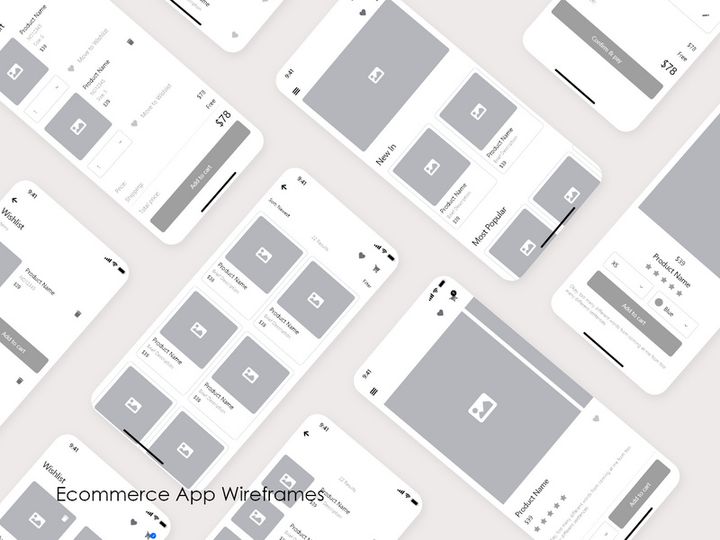
![Imagem de visualização de [Free] Wireframe UI Kit - Adobe XD](https://imgproxy.epicpxls.com/nH08bGUd61RsJWXFVkTLZ-U3O6zliN5D55HAJlVaceQ/rs:fill:720:540:0/g:no/aHR0cHM6Ly9pdGVt/cy5lcGljcHhscy5j/b20vdXBsb2Fkcy9w/aG90by9mODViNTMw/ZWE1OGMxMzRjNWEy/YWU4OTY5NzY5MDc4/Zg.jpg)


Experimente Nossos Recursos Grátis
Baixe qualquer um destes gratuitamente - sem cadastro necessário
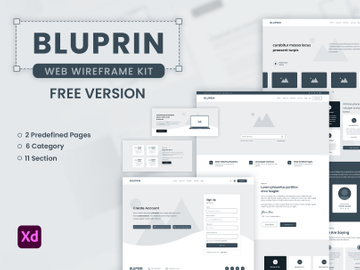
![[Free] Wireframe UI Kit - Adobe XD](https://items.epicpxls.com/uploads/photo/32808c70a62b3586a91e8fc054c6af48)
Why Adobe XD for Wireframes?
Adobe XD has emerged as a leading tool in the UX/UI design space, particularly for creating and refining wireframes. Its intuitive interface, fast prototyping capabilities, and seamless integration within the Adobe Creative Cloud ecosystem make it a preferred choice among designers at all levels. When it comes to wireframing, Adobe XD offers a streamlined experience that balances simplicity and power, allowing teams to move quickly from concept to clickable prototype without switching tools.
One of the standout features of Adobe XD for wireframes is its vector-based design environment, which ensures scalability and precision. Designers can use built-in shape tools, repeat grids, and responsive resize to rapidly build structured, consistent layouts. The Repeat Grid function, in particular, is a game-changer for wireframing—allowing instant duplication of interface elements like lists or cards with just a drag. This dramatically reduces repetitive tasks and accelerates the design process.
Another key advantage is the real-time collaboration features. Multiple team members can co-edit a document, leave comments, and review changes without version confusion. For remote teams or agencies, this fosters efficient feedback loops during the early wireframing stage. Additionally, Adobe XD supports both desktop and mobile previews through its companion app, enabling stakeholders to interact with and test wireframes on actual devices—critical for validating usability before moving to high-fidelity design.
At EpicPxls, we recognize the importance of efficiency and quality when sourcing wireframe resources. That’s why we’ve carefully curated 11+ high-quality, Adobe XD-compatible wireframe kits, templates, and UI libraries. Each resource is tested for usability, organization, and adherence to current design standards, ensuring they integrate smoothly into your workflow. Whether you're sketching out an MVP or refining a complex application structure, the right wireframe tools in Adobe XD can save hours and elevate your design process.
Top Wireframes Picks for Adobe XD
Selecting the right wireframe resource can significantly impact your productivity and design clarity. The 11+ resources we've compiled at EpicPxls cater to a diverse range of needs—from novice designers to seasoned professionals. Each option is optimized for Adobe XD, ensuring compatibility, ease of use, and quick implementation. These kits streamline the wireframing process by offering pre-built components, consistent grids, and well-organized layers, so you can focus on structure and user flow instead of starting from scratch.
Best for Beginners
If you're new to wireframing or Adobe XD, starting with a beginner-friendly resource is key. Many of the 11+ options available through EpicPxls include clearly labeled layers, intuitive naming conventions, and comprehensive documentation. Look for kits that feature basic components like buttons, form fields, navigation bars, and card layouts. Some even come with built-in artboard presets for common device sizes, making it easy to design responsively from day one. These templates often include step-by-step guides or video walkthroughs, allowing new users to learn while they build.
Best for Professionals
For experienced designers, efficiency and scalability are paramount. The professional-grade wireframe resources in our collection offer advanced features such as symbol libraries, auto-layout components, and modular design systems. These kits support complex interactions and multi-page flows, ideal for enterprise applications or detailed SaaS platforms. Many include dark and light mode variants, accessibility-ready contrasts, and integration with design tokens—ensuring your wireframes align with mature design systems. These resources are perfect for agencies or in-house teams maintaining brand consistency across large-scale projects.
Best Free Options
High-quality doesn’t always mean high cost. Among the 11+ resources curated by EpicPxls, several are completely free while still delivering professional-grade components and thoughtful layouts. These free wireframe kits are excellent for startups, educators, or independent designers who need reliable tools without budget constraints. They typically cover essential UI patterns—landing pages, dashboards, mobile app flows—and are regularly updated to reflect current design trends. Despite being free, many include advanced features like component states and interactive hotspots, making them surprisingly powerful for early-stage prototyping.
Adobe XD vs Other Tools for Wireframes
While many design tools support wireframing, Adobe XD stands out due to its dedicated focus on UX workflows and seamless performance. Unlike general-purpose design software, Adobe XD is built specifically for interface design, offering tools that streamline the transition from low-fidelity wireframes to interactive prototypes. Its native support for artboard linking, transition animations, and voice prototyping allows designers to simulate user journeys with minimal effort—something that's often clunky or limited in other platforms.
The Adobe XD ecosystem provides a cohesive experience, especially for teams already using Adobe Creative Cloud. Integration with tools like Photoshop and Illustrator means assets can be easily imported or refined without format loss. This interoperability enhances flexibility during the wireframing stage, where visual assets or icons might originate from other Adobe applications. Additionally, cloud documents ensure that your wireframe files are automatically synced and accessible across devices, reducing the risk of version conflicts.
When it comes to format compatibility, Adobe XD uses its own .xd file format, which is optimized for performance and collaboration. While this means direct import from some third-party tools may require conversion, the trade-off is faster rendering and smoother interaction during presentation. Most wireframe resources available today—including the 11+ handpicked by EpicPxls—are delivered in native XD format, ensuring full functionality and editability. This focus on ecosystem integrity helps maintain design fidelity and accelerates team workflows, especially when iterating on wireframes with stakeholders.
Setting Up Wireframes in Adobe XD
Getting started with wireframe resources in Adobe XD is straightforward, especially when using well-organized kits. Follow these six steps to efficiently import, customize, and deploy your wireframes for any project.
- Download and Unzip: Begin by downloading your chosen wireframe kit from a trusted source like EpicPxls. Most kits come as .zip files containing XD files, documentation, and sometimes fonts or assets.
- Open in Adobe XD: Launch Adobe XD and open the main .xd file from the extracted folder. Ensure you’re using a compatible version of Adobe XD to avoid import issues.
- Explore the Artboards: Review the included artboards to understand the layout options, component styles, and naming structure. Many kits include a “Getting Started” guide artboard with instructions.
- Copy Components to Your Project: Open your working file and use the Layers panel to copy reusable elements—like headers, buttons, or form fields—from the kit into your design. Use Symbols or Components for consistency.
- Customize and Scale: Adjust typography, spacing, and layout to match your project’s requirements. Leverage XD’s responsive resize and constraints to adapt components across screen sizes.
- Organize and Document: Rename layers, group related elements, and add comments if collaborating. A clean structure makes it easier to update and share your wireframes later.
For teams managing large collections of wireframe resources, consider creating a master library file where you store approved components. This central repository can be referenced across projects, ensuring uniformity and reducing redundancy. EpicPxls recommends regularly auditing your resource library to remove outdated kits and archive versions, keeping your workflow efficient and clutter-free.
Adobe XD Workflow Tips
Maximizing your efficiency in Adobe XD goes beyond just using great wireframe resources—it’s about how you organize and leverage them. With the right practices, you can turn a good design process into a great one. Whether you're working solo or in a team, these tips will help you maintain consistency, speed up iterations, and improve collaboration throughout the wireframing phase.
Organizing Wireframes Libraries
A well-structured library is the backbone of any efficient design workflow. Create a dedicated XD file for your core wireframe components—buttons, input fields, navigation elements, and layout grids. Use consistent naming (e.g., “btn-primary,” “input-text”) and organize them into labeled sections using folders in the Assets panel. This makes it easy to locate and reuse elements across projects. If you're using multiple kits from the 11+ resources curated by EpicPxls, consider merging compatible components into a single master library to reduce switching between files.
Batch Operations
When updating multiple wireframe elements—such as changing font size or color—avoid manual edits. Instead, use XD’s symbol and component system to make global changes efficiently. By converting common elements into reusable components, any edit propagates across all instances. This is especially useful when refining wireframe conventions mid-project. Additionally, leverage plugins or scripts for batch renaming, color replacement, or artboard organization. These tools can automate repetitive tasks, saving valuable time during large-scale wireframe updates.
Collaboration Best Practices
Effective collaboration starts with clarity. When sharing wireframes with stakeholders or developers, use clear artboard titles and annotate key interactions. Adobe XD’s comment feature allows team members to leave feedback directly on the canvas, reducing miscommunication. For remote teams, share a cloud link with edit or view permissions based on the reviewer’s role. Establish naming conventions and versioning protocols early—such as “ProjectX-Wireframes-v2”—to avoid confusion. The 11+ wireframe resources from EpicPxls are designed with collaboration in mind, often including comment-ready templates and stakeholder presentation layouts to streamline feedback cycles.
Por que Baixar no EpicPxls?
Licença Comercial
Use em projetos pessoais e comerciais
Sem Cadastro Necessário
Baixe recursos gratuitos instantaneamente
Qualidade Curada
Todos os recursos são revisados quanto à qualidade
Arquivos de Visualização
Veja arquivos do Figma e Photoshop antes de baixar
Quem Usa Esses Wireframes?
Profissionais e equipes que mais se beneficiam da nossa coleção
Designers de UI/UX
Agilize seu fluxo de trabalho com wireframes prontos para uso para Adobe XD. Perfeito para prototipação e apresentações para clientes.
Desenvolvedores
Obtenha ativos prontos para produção sem habilidades de design. Exporte em qualquer formato para aplicativos web e mobile.
Startups & Agências
Economize no orçamento de design com wireframes premium acessíveis. Licença comercial incluída.
Equipes de Marketing
Crie campanhas profissionais mais rápido. Todos os wireframes são otimizados para mídias sociais e anúncios.
Wireframes para Adobe XD FAQPerguntas comuns sobre esses recursos
Preços Simples e Transparentes
Acesso ilimitado a todos os recursos premium
Yearly
- 20 downloads por mês
- Todos os formatos de arquivo
- Licença comercial
Lifetime
- Downloads ilimitados para sempre
- Todos os formatos de arquivo
- Licença comercial
Pronto para Começar?
Acesse 4.442+ recursos de design gratuitos hoje.
Explorar Recursos GrátisVer Planos PremiumGanhe 85% e
mais em todas as vendas
Faça upload de seus produtos e coloque-os
à venda pelo preço que você quiser.


